
airMAX - What is airMAX Capacity?
On airMAX M devices, there are a few statistics shown on the main dashboard that don't appear on airMAX AC devices. One of which is airMAX Capacity. In this explainer post, we'll go over what this is.
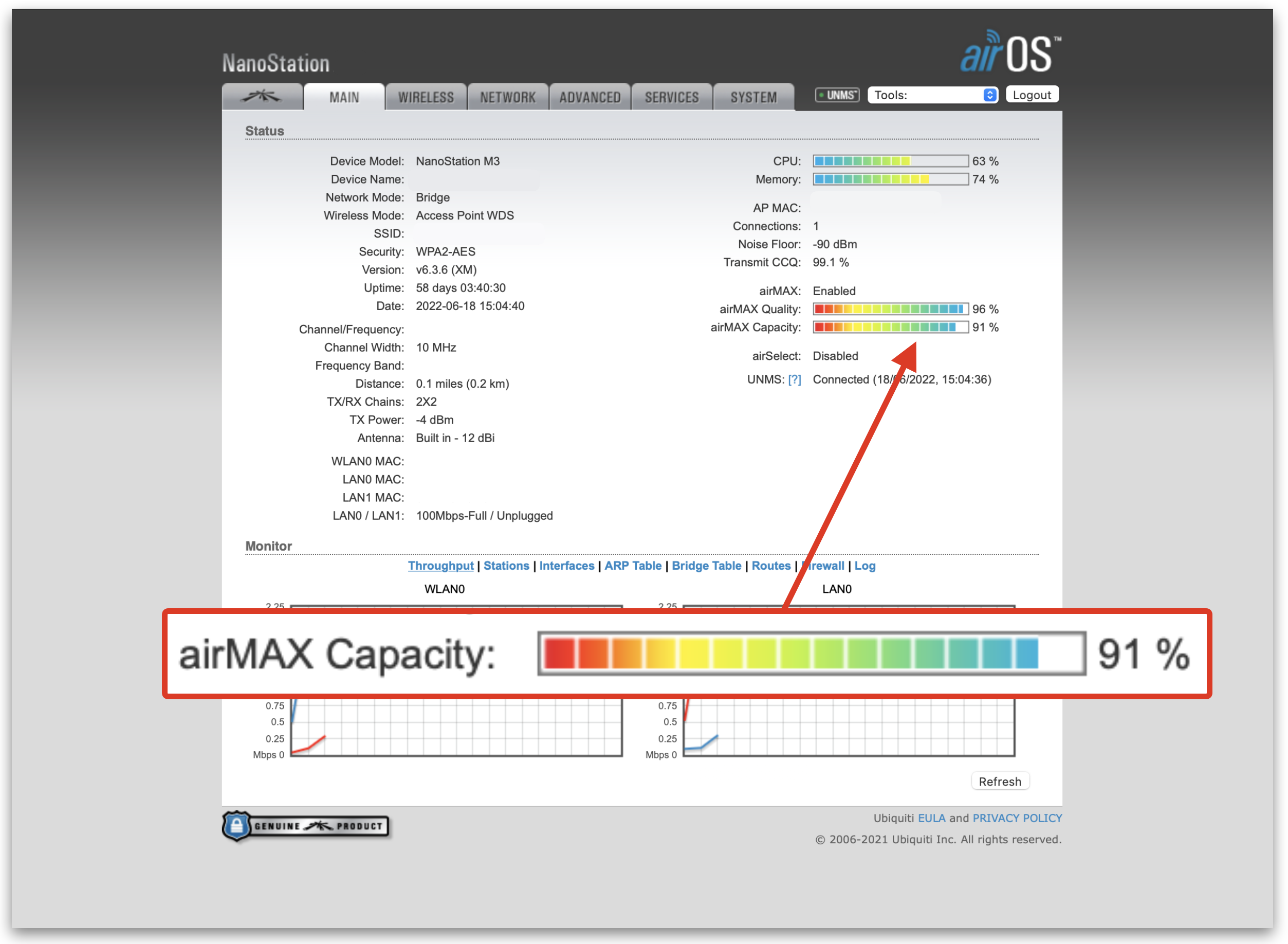
What is airMAX Capacity?
This bar will only show if airMAX is enabled, but it is mainly based on airtime efficiency. For example, if one client has a low modulation rate, or if there is an older 1x1 device connected, such as a LiteBeam M5 alongside newer 2x2 devices - the weaker device will use more airtime slots to transmit data to it.
If this is the case, the overall capacity of the AP will be less, as the AP essentially has to work harder to serve the client that is not connected as well. The lower the airMax Capacity is, the AP is less efficient. When there are many clients connected to one AP, then this metric becomes more important.
Client Side
When looking at the client, or CPE device the same bar will be showing the theoretical capacity of that device only. This is based on the signal level, noise floor and the current TX/RX rates. Clients that have a weaker connection can have negative consequences on the overall efficiency of the AP and make things worse for other clients connected.
How to improve the airMAX Capacity?
If you are looking at the AP, then AMQ and AMC are averages of all clients’ values. If you want to discover what is lowering your values on heavily populated APs, single out the weak clients.
Have a look at the clients connected to the AP, sort by weakest signal first and see why they aren't connected as well. There are a few things to check:
- Are there any obstructions?
- Are any CPE devices connected to the side of an AP? Use UISP to map CPE devices out.
- Have a look for any interference, use the tools built into airOS to scan.
- Investigate the AP at peak traffic times, see which clients are using a lot of airTime. These clients could be connected poorly.
- Are some CPEs using the wrong antennas for the distance, they might need upgrading to larger dishes.
If you are using a airMAX M device for an AP, it might be time to upgrade that device to an airMAX AC device and use the mixed mode function to connect the older devices to the new AP.
Video
About HostiFi
HostiFi provides hosting for Ubiquiti software platforms, with servers for UniFi and UISP. We also offer network consulting, with HostiFi Professional Services.

Get the Ubiquiti Top 20
Each month our team sifts through Ubiquiti news and content from around the web and delivers 20 of our favorite links to your inbox.
View recent issues
No spam. Unsubscribe anytime.
🤩
Discovered 3+ things that I did not know and will have a material impact on my business.
Newsletter Subscriber
🤩
All the info I want/need in a single clean thread! Perfect!
Newsletter Subscriber
🤩
Providing super valuable information to keep the community in the know. Awesome links page, Thank You.
Newsletter Subscriber