
Omada - 'Managed by Others' adoption process
If you have a locally hosted Omada controller, you might see some devices display the 'Managed by Others' message. This means that the devices are managed by another controller, but these can be adopted without the need to factory reset them.
NOTE: This will only show up for locally hosted Omada controllers.
'Managed by Others' adoption process
First, click on the 'Devices' tab

Next, you'll see the devices in the list with the orange 'Managed by Others' message

On the right hand side, click the tick icon to adopt the device

Next, enter in the device username and password from the original controller, where these devices are adopted to
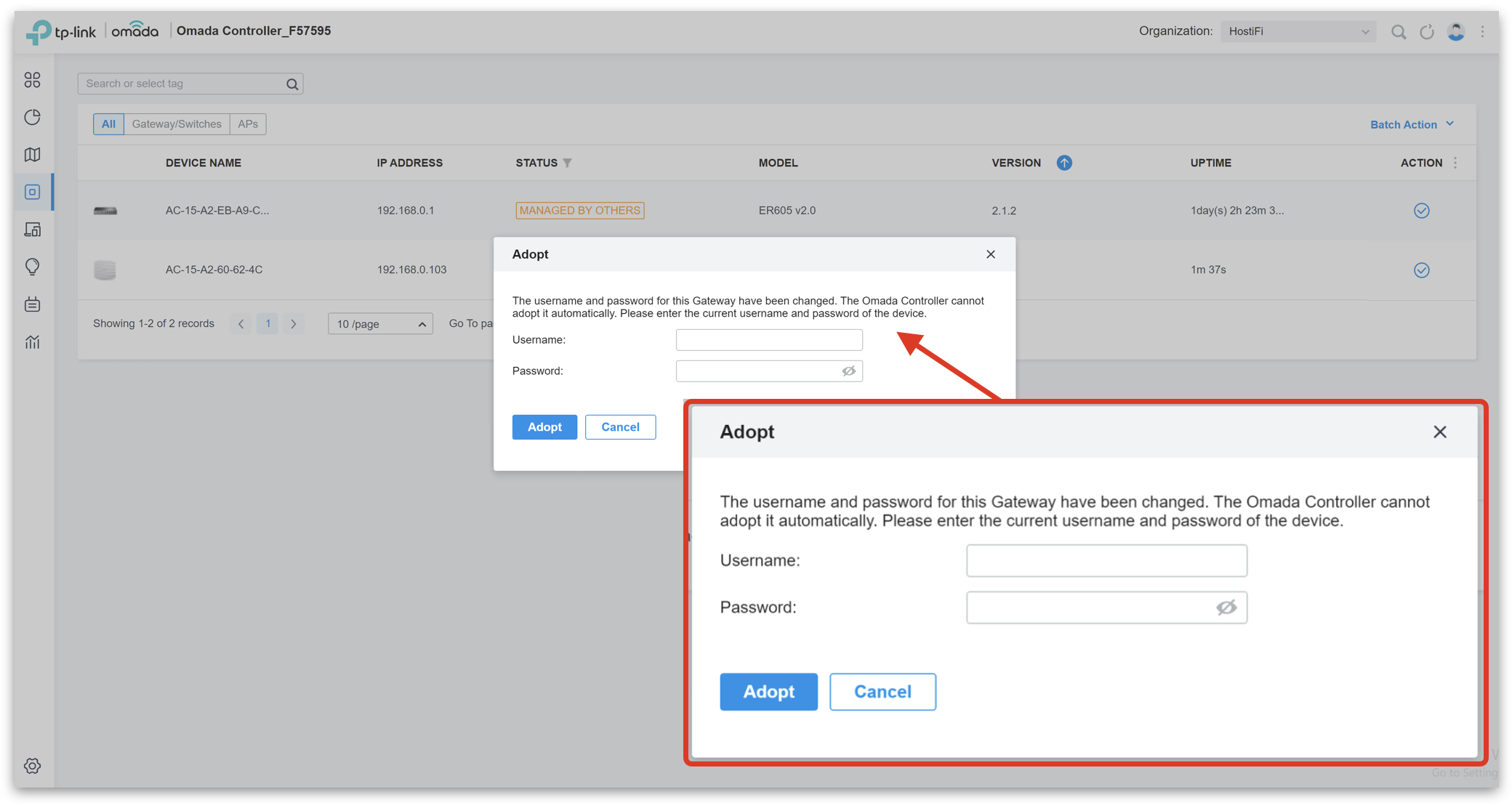
Once adopted, the devices will cycle through to 'Adopting'

Finally, to 'Connected'

About HostiFi
HostiFi provides hosting for Ubiquiti software platforms, with servers for UniFi and UISP. We also offer network consulting, with HostiFi Professional Services.

Get the Ubiquiti Top 20
Each month our team sifts through Ubiquiti news and content from around the web and delivers 20 of our favorite links to your inbox.
View recent issues
No spam. Unsubscribe anytime.
🤩
Discovered 3+ things that I did not know and will have a material impact on my business.
Newsletter Subscriber
🤩
All the info I want/need in a single clean thread! Perfect!
Newsletter Subscriber
🤩
Providing super valuable information to keep the community in the know. Awesome links page, Thank You.
Newsletter Subscriber