
UISP - How to change between UISP interface versions
Learn how to change between the different UISP interface versions, as some settings and statistics are located in the new user interface and some are in the older version. Ubiquiti also has a redesigned devices page to go alongside the new dashboard.
Enabling the New Interface from the Legacy Interface
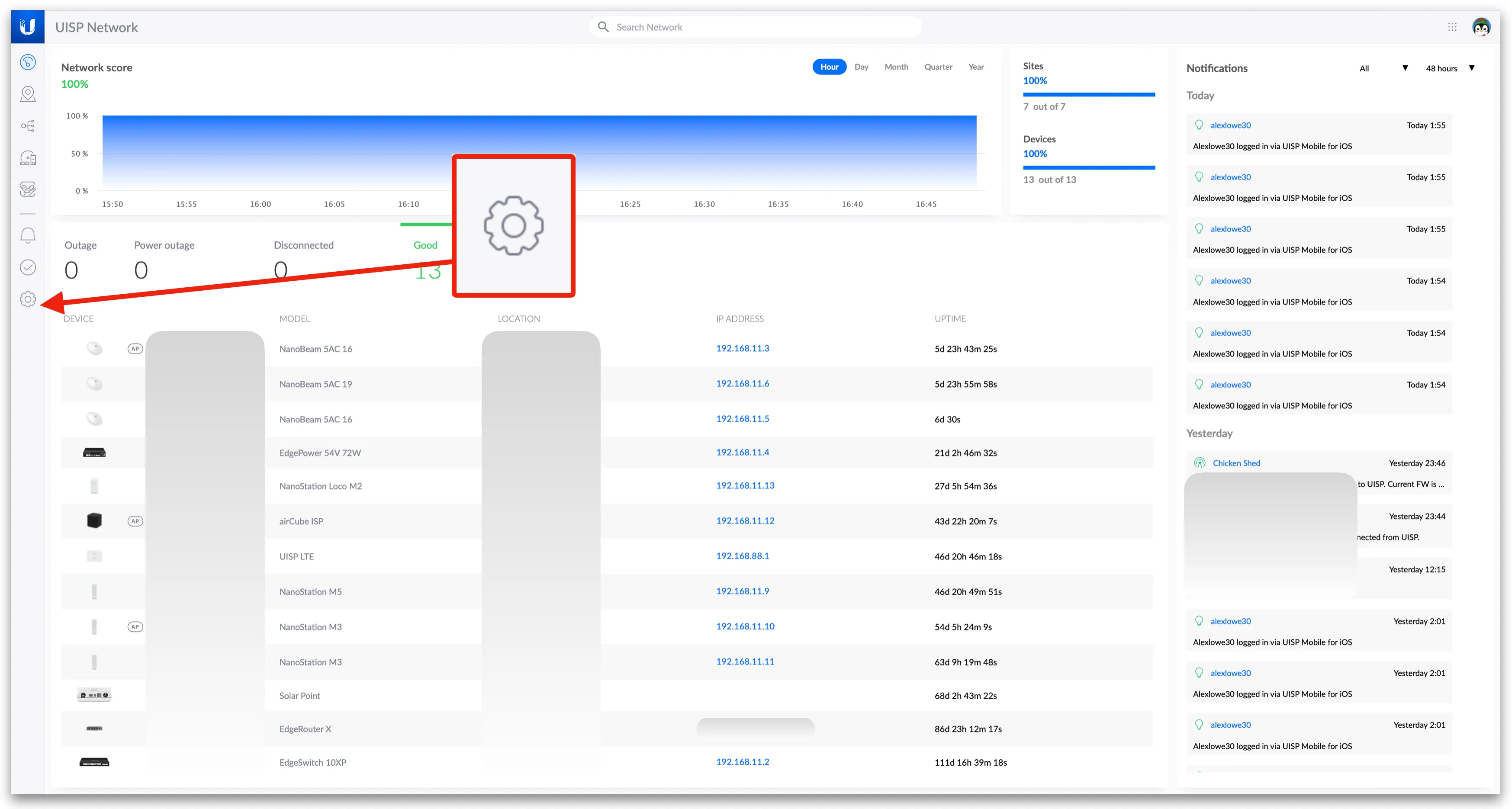
First, log into your UISP application, then click on 'Settings'.
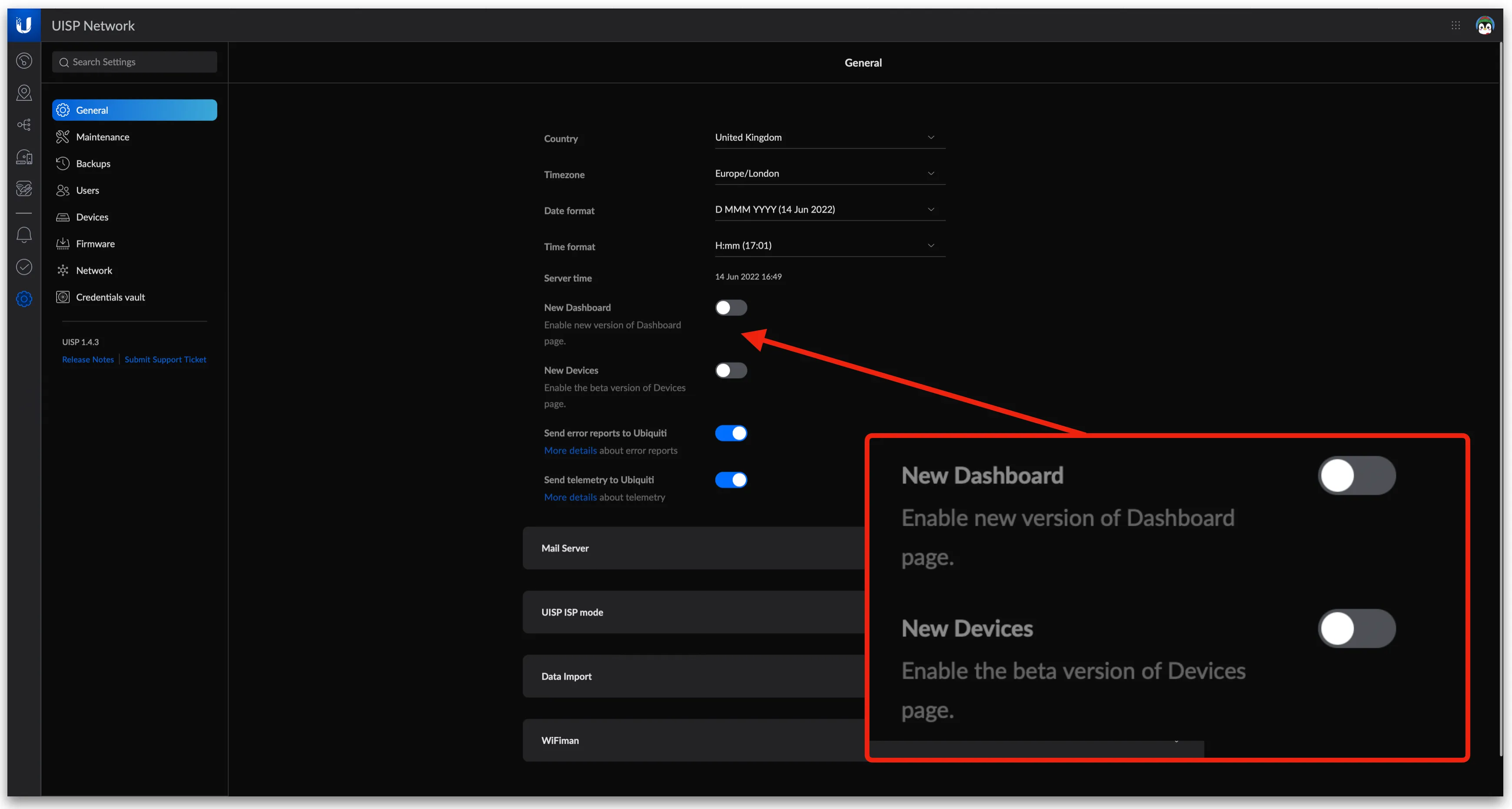
Next, there are two toggles which will be turned off. One for the new dashboard and one for the new revised devices page. Either can be enabled separately from each other.
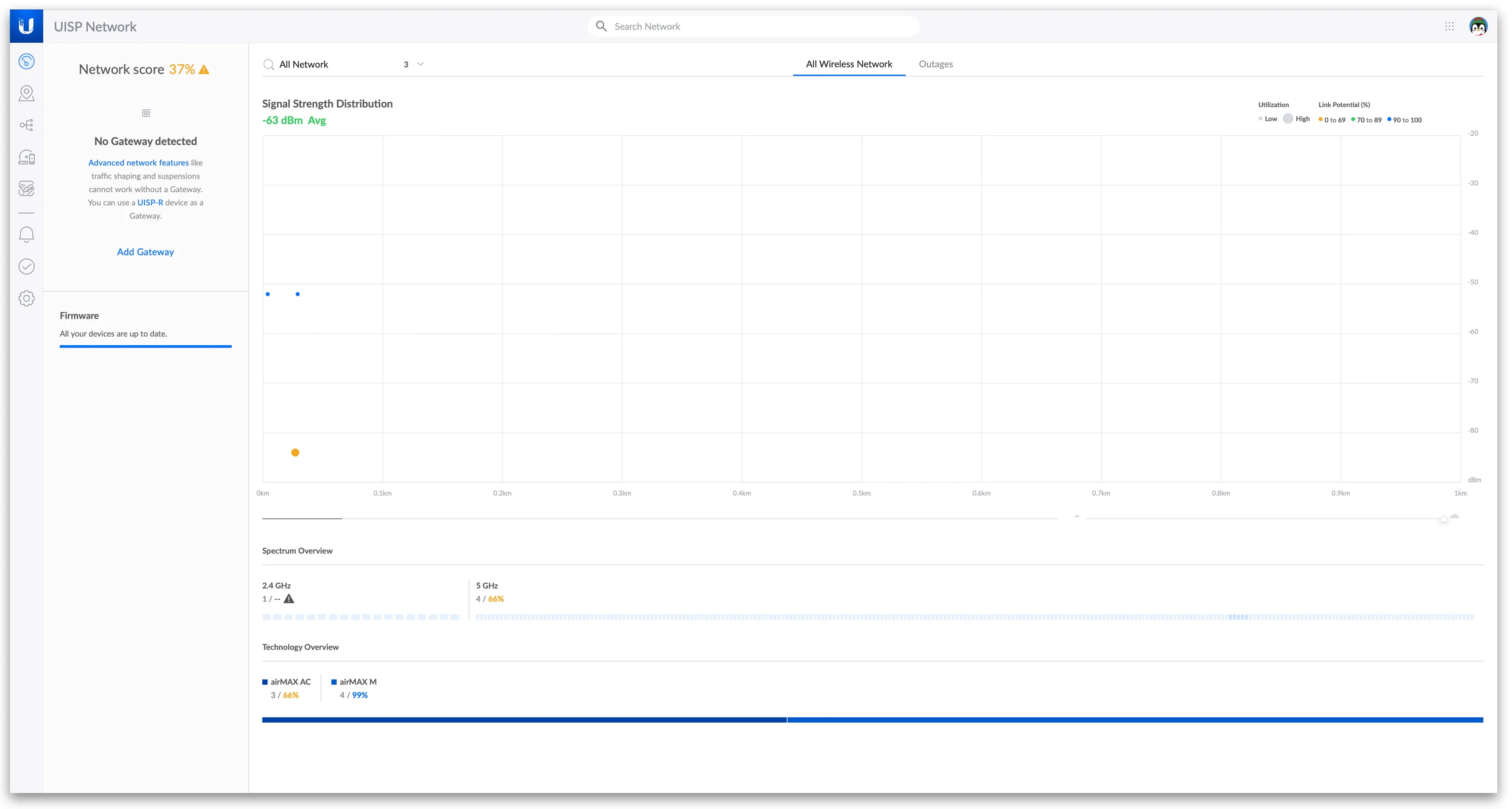
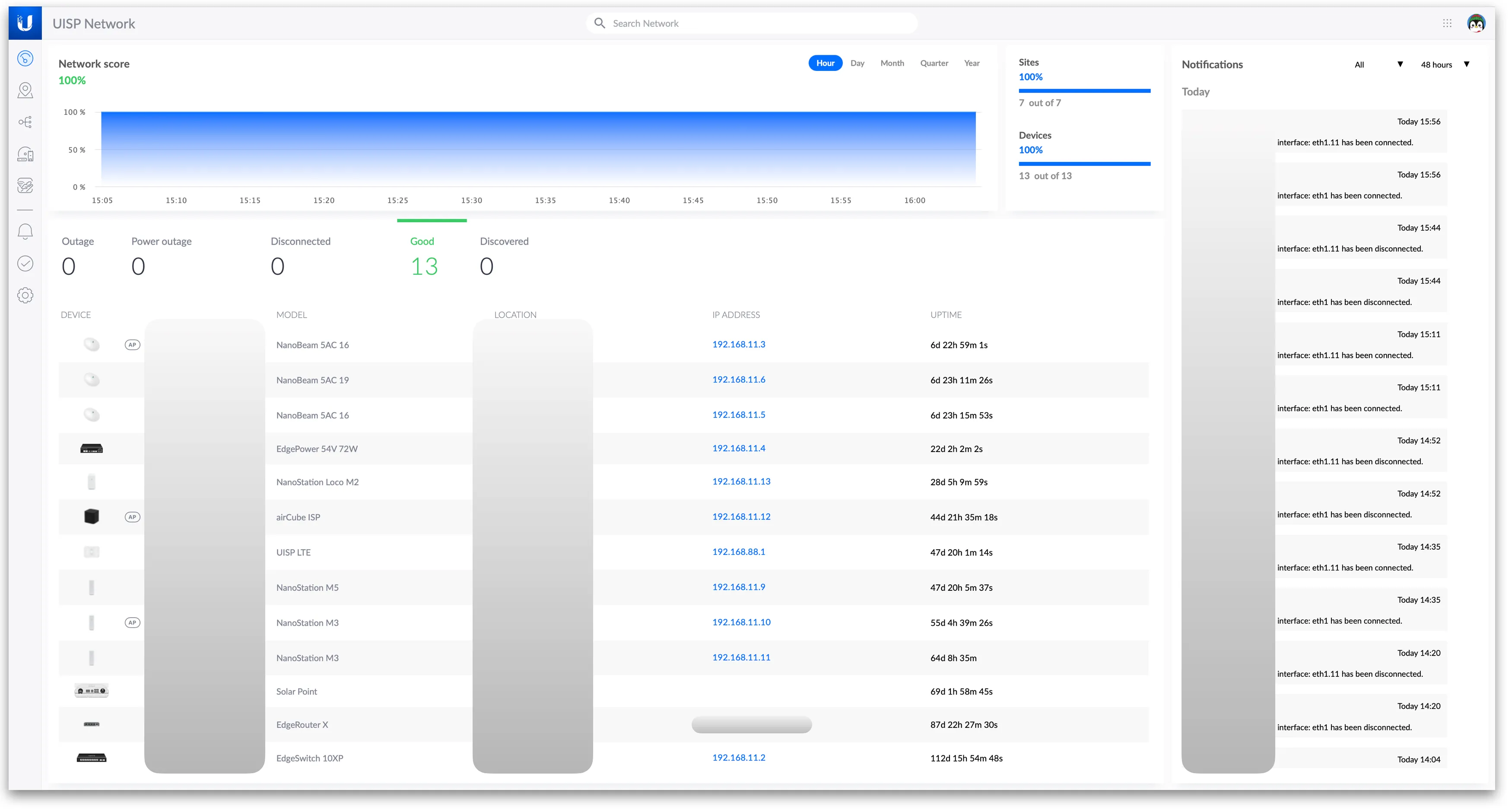
Once changed, you'll be presented with the new dashboard.
Enabling the Legacy Interface from the New Interface
First, log into your UISP application, then click on 'Settings'.
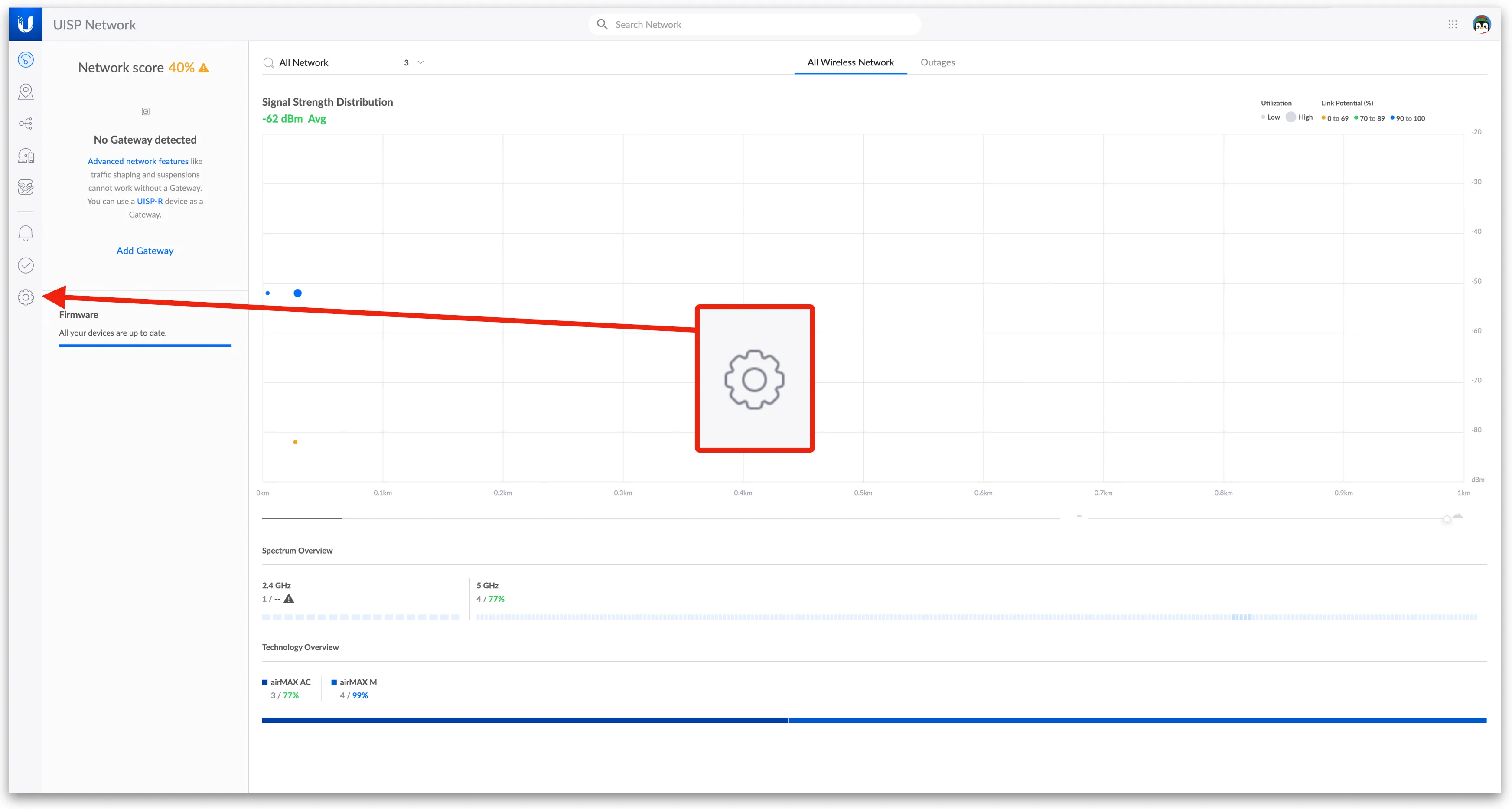
Next, there are two toggles which will be turned on. One for the new dashboard and one for the new revised devices page. Either can be disabled separately from each other.
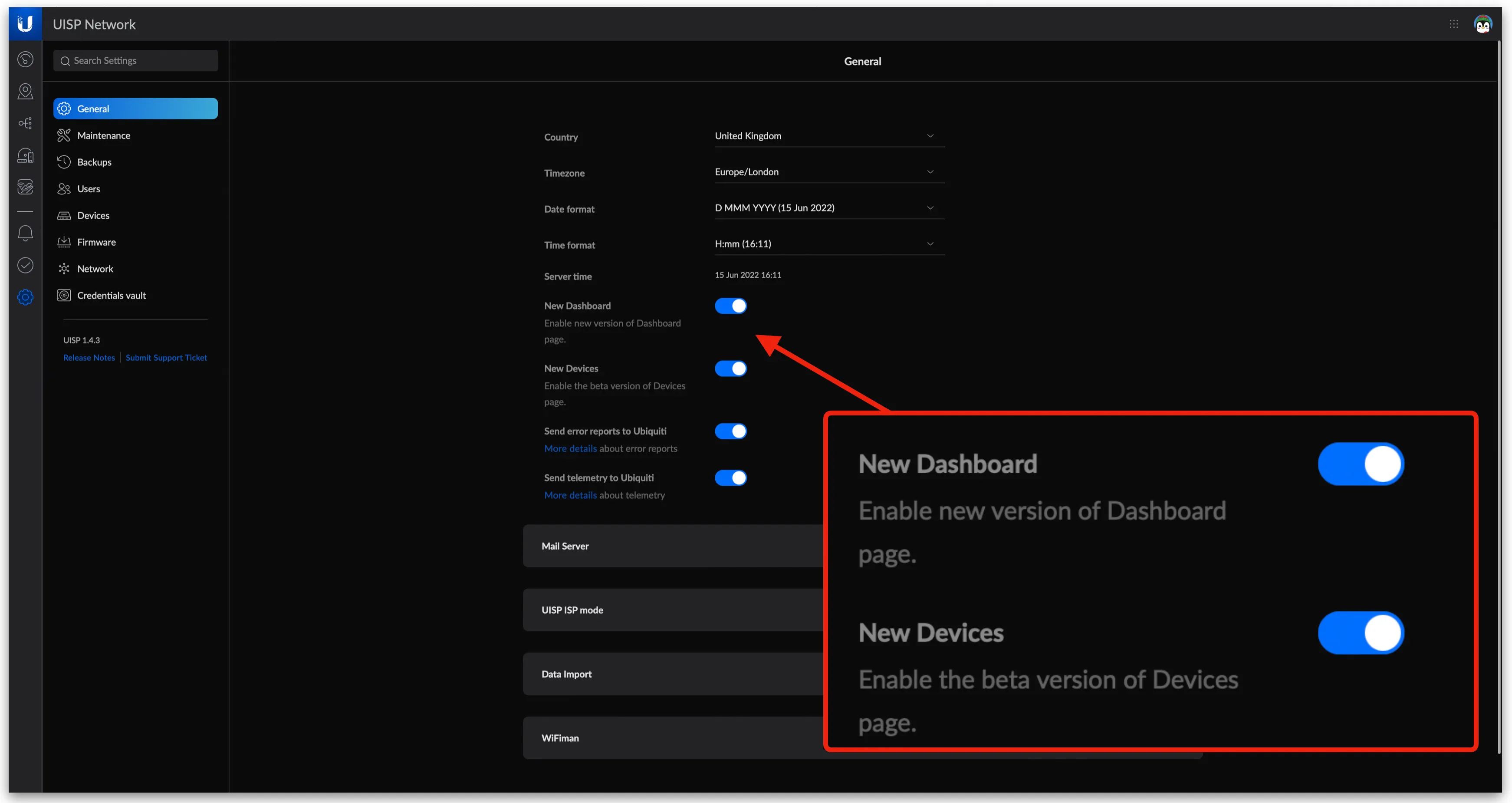
Once changed, you'll be presented with the old dashboard.
About HostiFi
HostiFi provides hosting for Ubiquiti software platforms, with servers for UniFi and UISP. We also offer network consulting, with HostiFi Professional Services.

Get the Ubiquiti Top 20
Each month our team sifts through Ubiquiti news and content from around the web and delivers 20 of our favorite links to your inbox.
View recent issues
No spam. Unsubscribe anytime.
🤩
Discovered 3+ things that I did not know and will have a material impact on my business.
Newsletter Subscriber
🤩
All the info I want/need in a single clean thread! Perfect!
Newsletter Subscriber
🤩
Providing super valuable information to keep the community in the know. Awesome links page, Thank You.
Newsletter Subscriber