•

•
Software used, UniFi Network 10.5.67
UniFi - Enable Remote Access on UniFi OS Server
See how to enable remote access on UniFi OS Server to enable Ubiquiti SSO synchronisation and access via unifi.ui.com
After migrating from UniFi Network Server to UniFi OS Server, Remote Access might be disabled. Here is how to reenable it again.
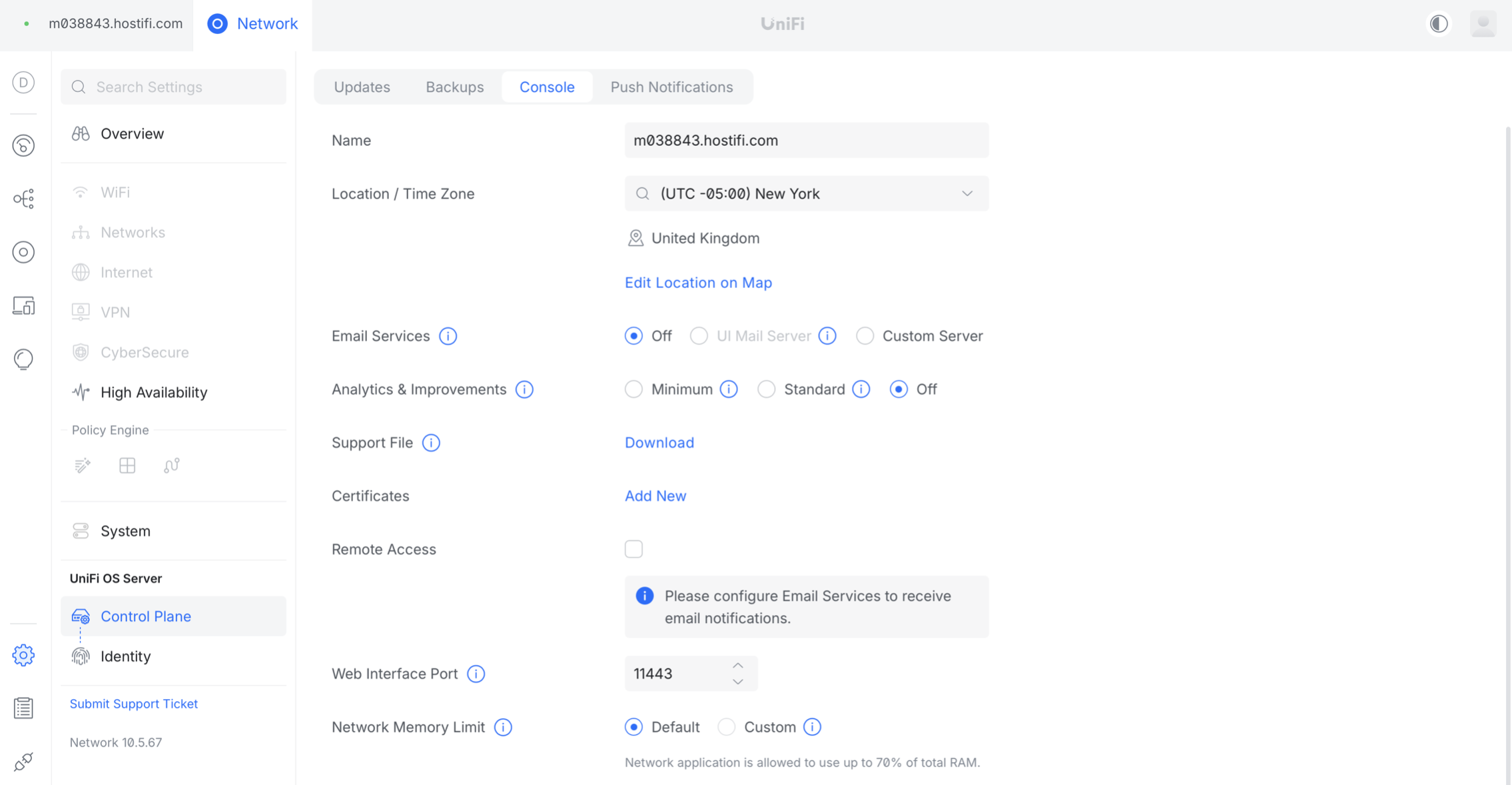
Click on Settings > Control Plane > Console and tick the box for Remote Access
Enter in your Ubiquiti SSO credentials and 2FA code and click login
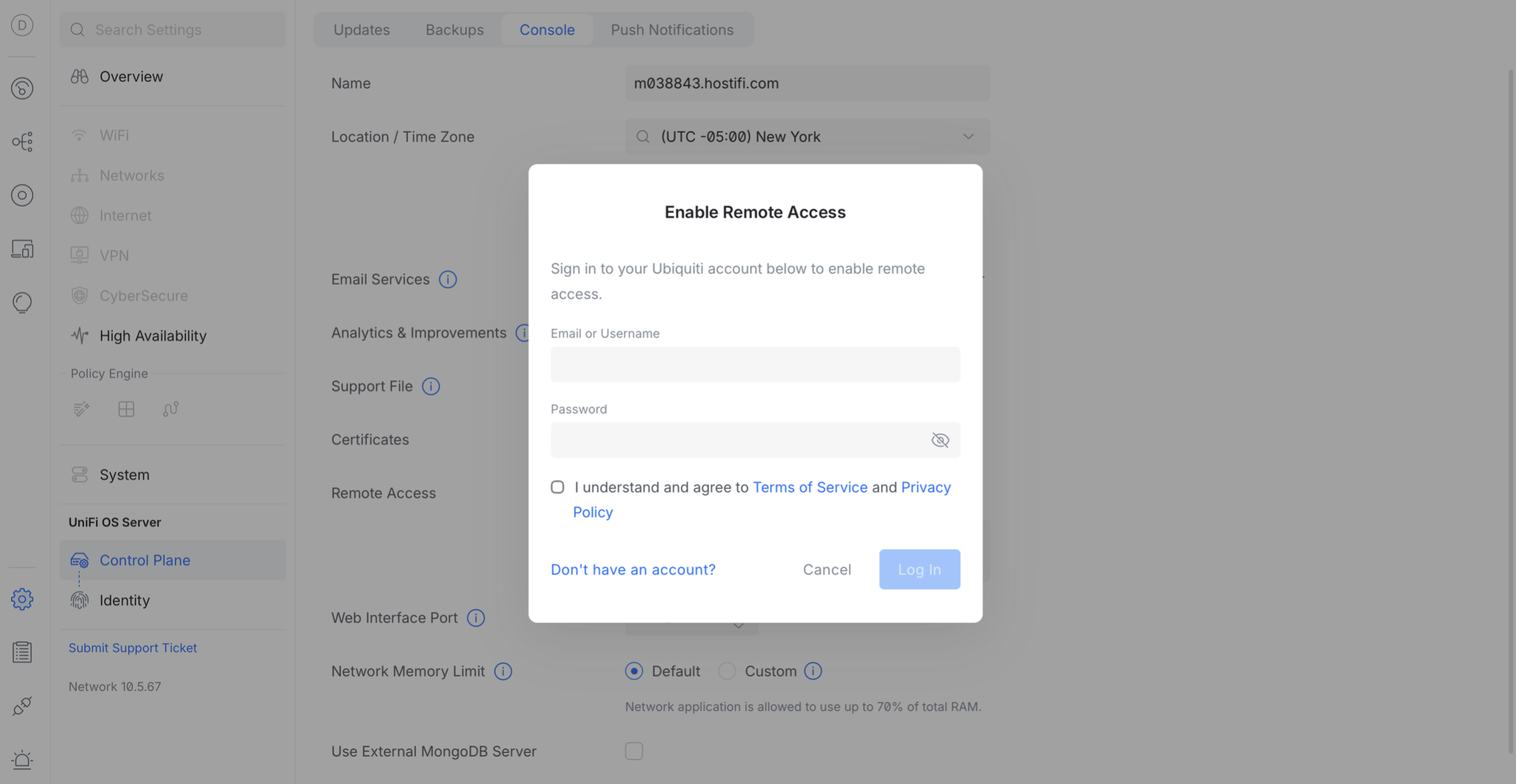
Once done, the UniFi OS Server and all of its sites, if multi-site is enabled will show up shortly in the UniFi Site Manager at unifi.ui.com
About HostiFi
HostiFi provides hosting for Ubiquiti software platforms, with servers for UniFi and UISP. We also offer network consulting, with HostiFi Professional Services.

Get the Ubiquiti Top 20
Each month our team sifts through Ubiquiti news and content from around the web and delivers 20 of our favorite links to your inbox.
View recent issues
No spam. Unsubscribe anytime.
🤩
Discovered 3+ things that I did not know and will have a material impact on my business.
Newsletter Subscriber
🤩
All the info I want/need in a single clean thread! Perfect!
Newsletter Subscriber
🤩
Providing super valuable information to keep the community in the know. Awesome links page, Thank You.
Newsletter Subscriber