
UniFi - How to factory reset a UniFi access point
Getting a UniFi access point back to its factory default state can be useful for a fresh setup, for a device that was previously managed or configured and needs adopting into a new server.
If you want fast and reliable UniFi hosting, check out HostiFi with expert support, regular backups, managed updates and prices from $19 per month.
To learn more about our hosting plans, create an account or book a free demo to get started.
With UniFi APs, there are a few ways that they can be reset back to factory settings. If the device is already online in the UniFi controller, then the first two steps will work. Otherwise the last resort option is to reset via SSH or by pushing the reset pin on the physical device itself.
Reset from the UniFi Controller
It is possible to reset a UniFi AP from the UniFi Controller as long as it is currently adopted.
First log into your UniFi server and go to the Devices section.
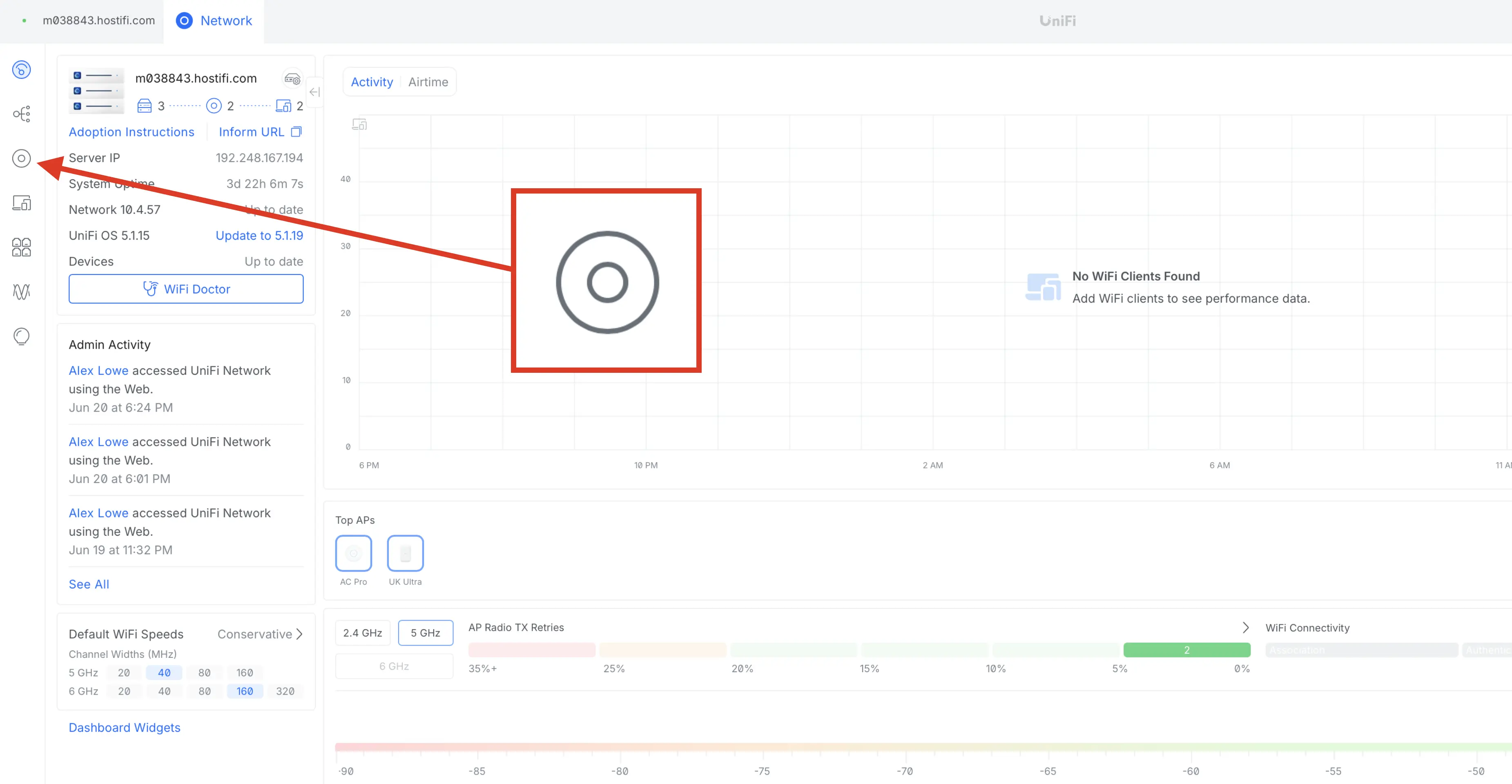
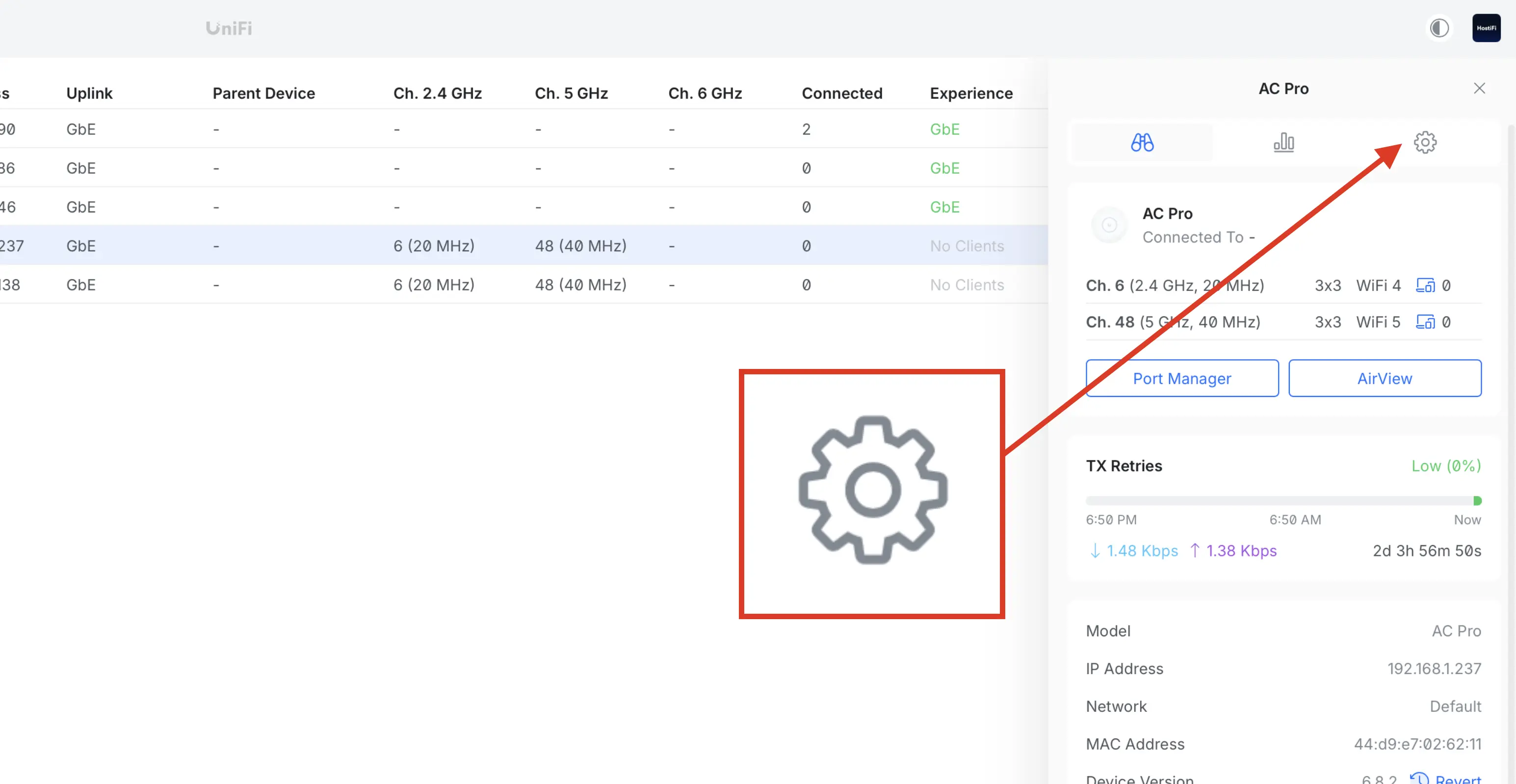
Select the device you wish to remove. Once the device panel is open, click on Settings
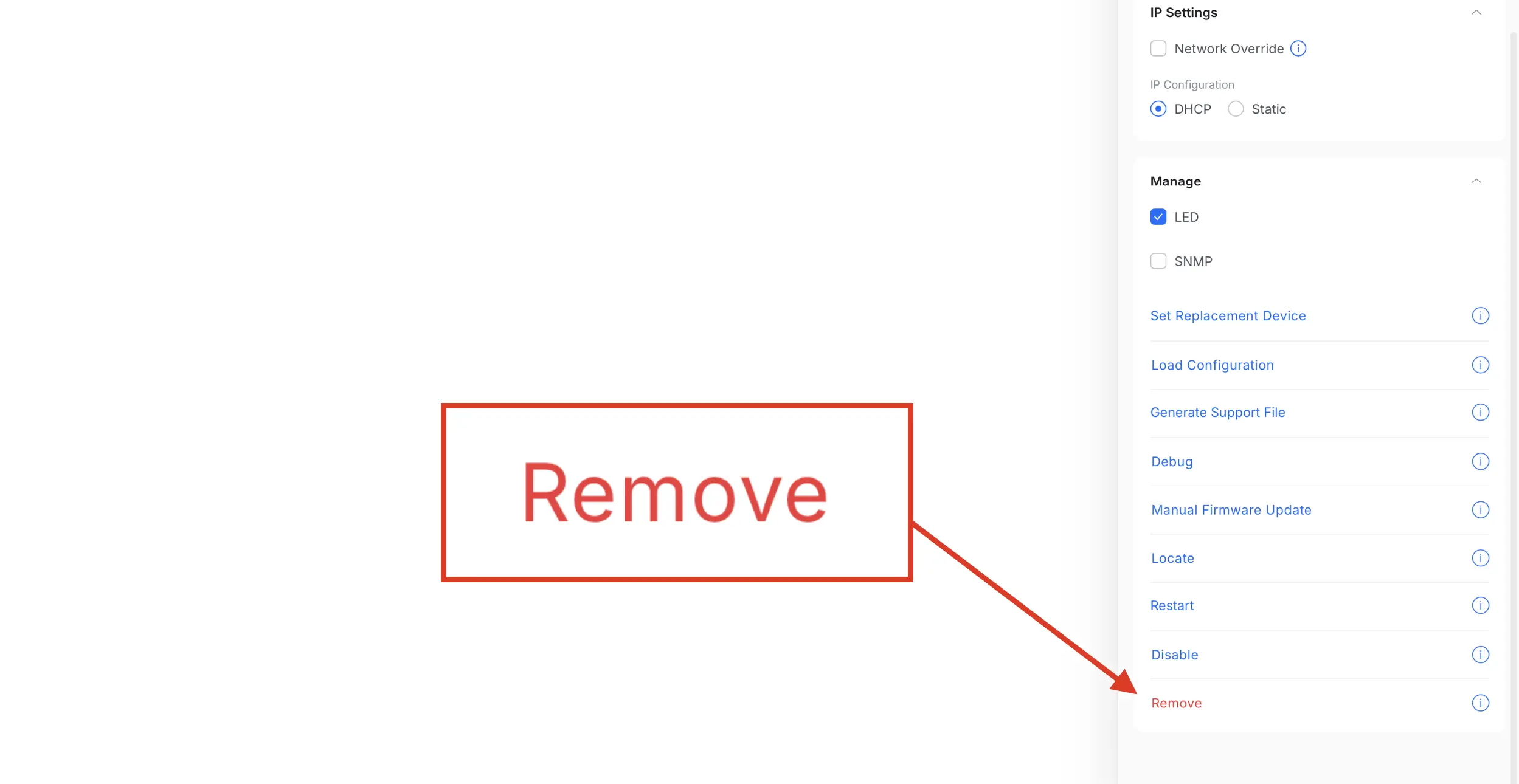
Next, scroll down and open up the Manage drop down and click Remove
Finally, in the confirmation click on Remove again
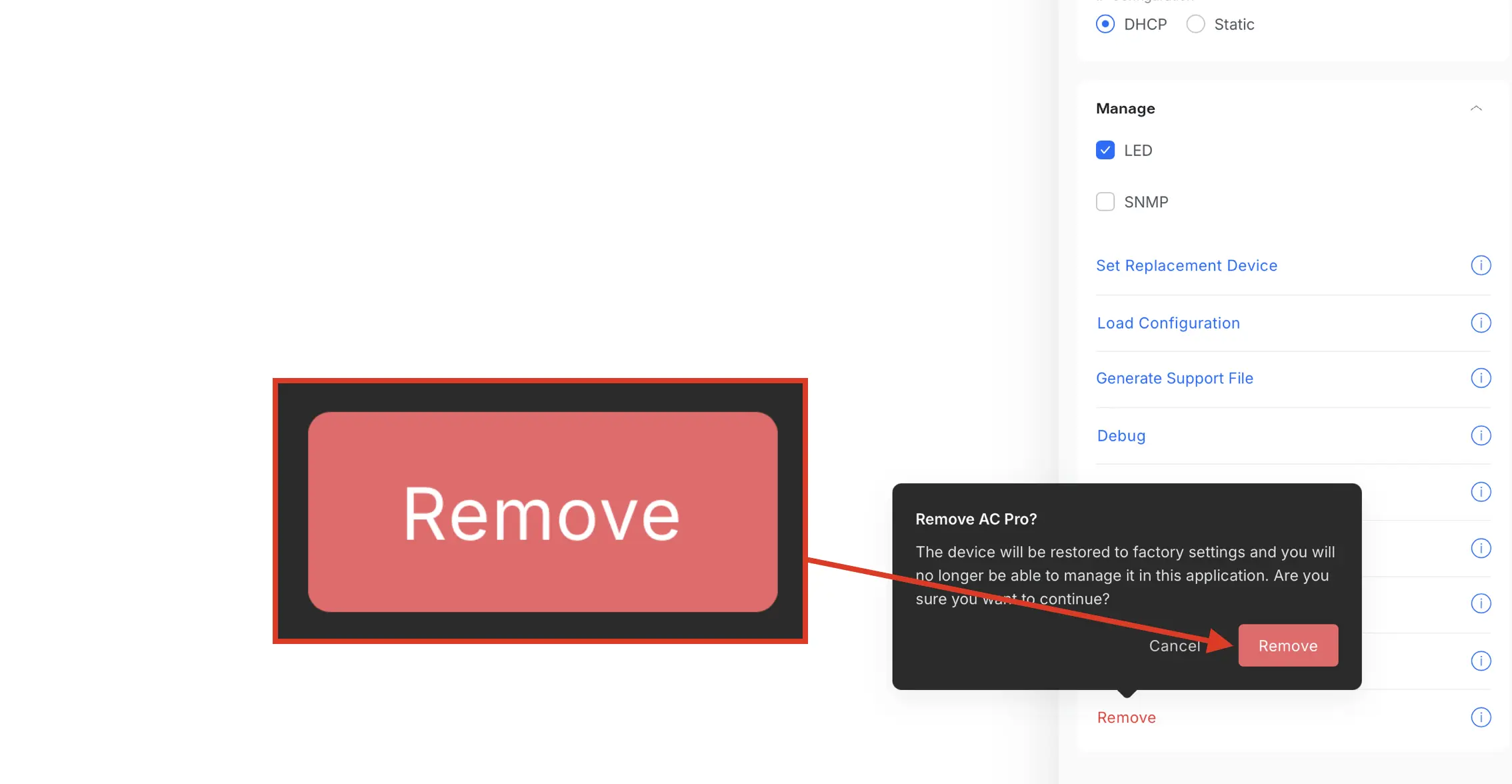
The UniFi AP will then begin the process of going back to factory settings, delete itself from the UniFi Controller and be ready to be set up again as new.
Reset via SSH
Log into the UniFi AP via SSH. Once logged in, issue the following command and then hit enter. Once done, the AP will reboot and then go back to factory default settings. Once completed, it'll be ready to set up again.
syswrapper.sh restore-default & set-default &To set the device up again with a new UniFi controller, use our free HostiFi Device Discovery Tool for simple device discovery and adoption.
Reset on physical device
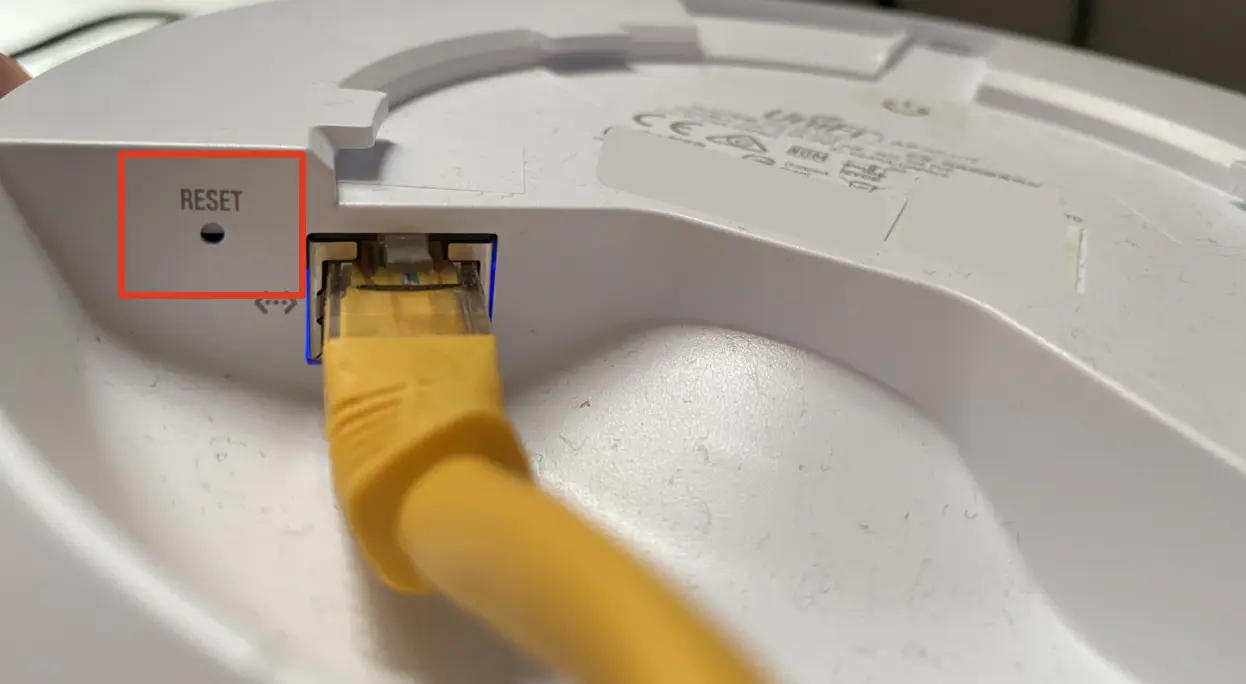
UniFi APs have a physical reset button, usually located next to the ethernet port. Once the button is located, hold it down for 10 seconds, until the LED lights flash. Once done, the AP will reboot and then go back to factory default settings, then it'll be ready to set up again.
The best sort of tool to use is an unwound paperclip or SIM ejection tool.
If none of these options work and your UniFi AP still doesn't work, try a TFTP recovery. Failing that, the device may be faulty and might need sending back to Ubiquiti, using its RMA program. More info about RMA can be found here.
Video
About HostiFi
HostiFi provides hosting for Ubiquiti software platforms, with servers for UniFi and UISP. We also offer network consulting, with HostiFi Professional Services.

Get the Ubiquiti Top 20
Each month our team sifts through Ubiquiti news and content from around the web and delivers 20 of our favorite links to your inbox.
View recent issues
No spam. Unsubscribe anytime.
🤩
Discovered 3+ things that I did not know and will have a material impact on my business.
Newsletter Subscriber
🤩
All the info I want/need in a single clean thread! Perfect!
Newsletter Subscriber
🤩
Providing super valuable information to keep the community in the know. Awesome links page, Thank You.
Newsletter Subscriber