•

UniFi - How to fix "Cannot Verify Server Identity" for UniFi Guest Hotspot
A common UniFi Guest Hotspot issue that can be easily fixed with one setting
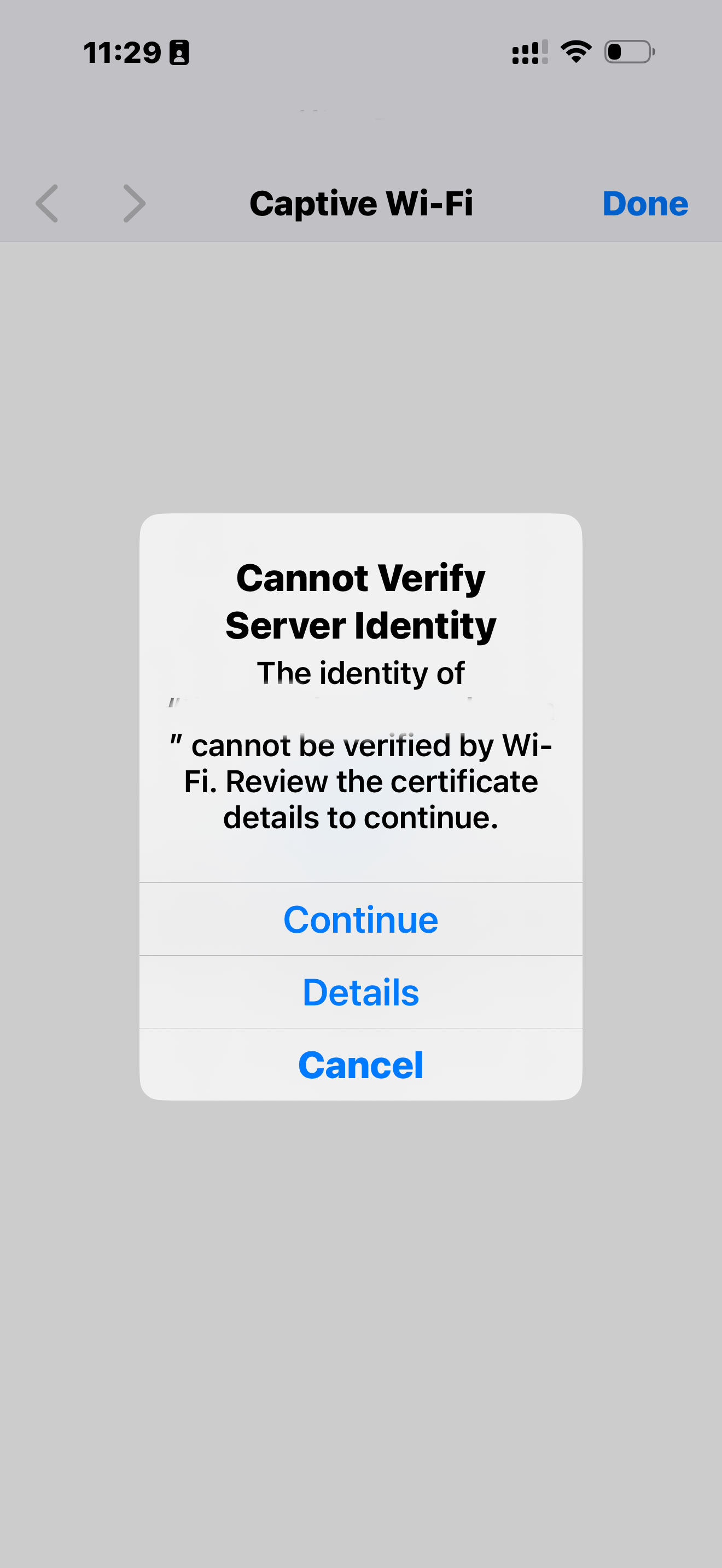
Sometimes, when using a custom redirect URL for your UniFi hotspot you can run into and SSL issue.
If you want fast and reliable UniFi hosting, check out HostiFi with expert support, regular backups, managed updates and prices from $19 per month.
To learn more about our hosting plans, create an account or book a free demo to get started.
The issue that occurs is related to custom URL redirection and the message you will see will be: Cannot Verify Server Identity The identity of "" cannot be verified by Wi-Fi. Review the certificate details to continue. Continue Details Cancel
This will only apply if:
- You are redirecting guests to a custom URL after guest authentication
- You have HTTPS Redirection Support enabled
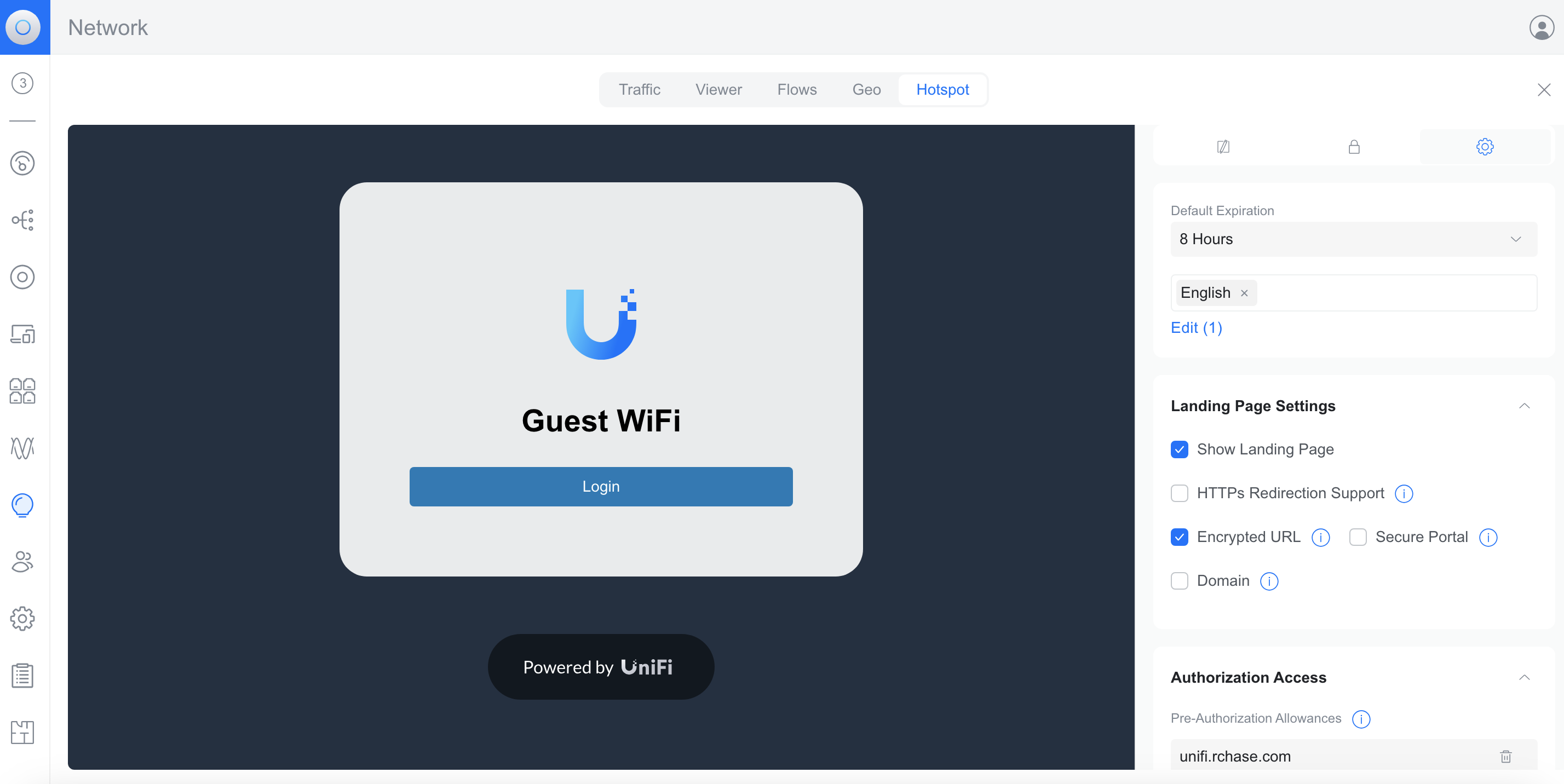
To fix it make sure to disable HTTPS Redirection Support, which can be found under Insights > Hotspot > Landing Page > Settings.
About HostiFi
HostiFi provides hosting for Ubiquiti software platforms, with servers for UniFi and UISP. We also offer network consulting, with HostiFi Professional Services.

Get the Ubiquiti Top 20
Each month our team sifts through Ubiquiti news and content from around the web and delivers 20 of our favorite links to your inbox.
View recent issues
No spam. Unsubscribe anytime.
🤩
Discovered 3+ things that I did not know and will have a material impact on my business.
Newsletter Subscriber
🤩
All the info I want/need in a single clean thread! Perfect!
Newsletter Subscriber
🤩
Providing super valuable information to keep the community in the know. Awesome links page, Thank You.
Newsletter Subscriber