
UniFi - How to invite a new admin to your UniFi OS Server
UniFi OS Server has a two user types, Owner and Administrator. There can only be the one Owner, but there can be many different Administrator users with varying degrees of roles and permissions.
Requirements and basics
There are two ways that new administrators can be added, this is as a local user with predefined credentials, or as a Ubiquiti SSO account user. We would recommend the latter, as it requires MFA and makes user management a bit easier in the long run.
Note: The process to add new administrators and users is different with UniFi OS Server compared to the legacy UniFi Network Server.
There's also two ways to invite a new user too, this can be done via the UniFi Site Manager or via the direct URL to the UniFi OS Server itself. Visit app.hostifi.com to find your server URL.
How to add a new user from UniFi Site Manager
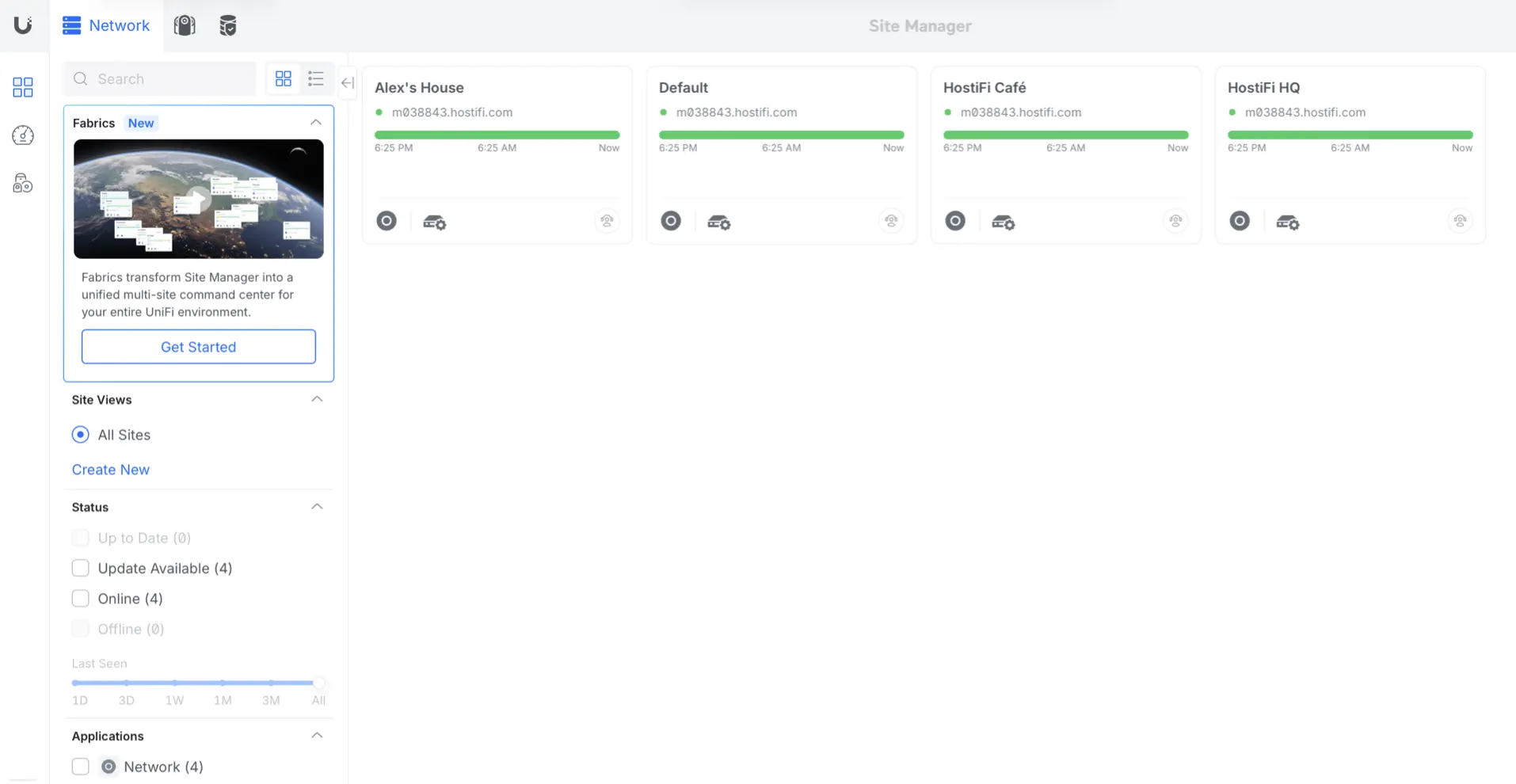
First, visit the UniFi Site Manager, by going to unifi.ui.com. Make sure that the user you are logging in with has Super Admin or Owner privileges.
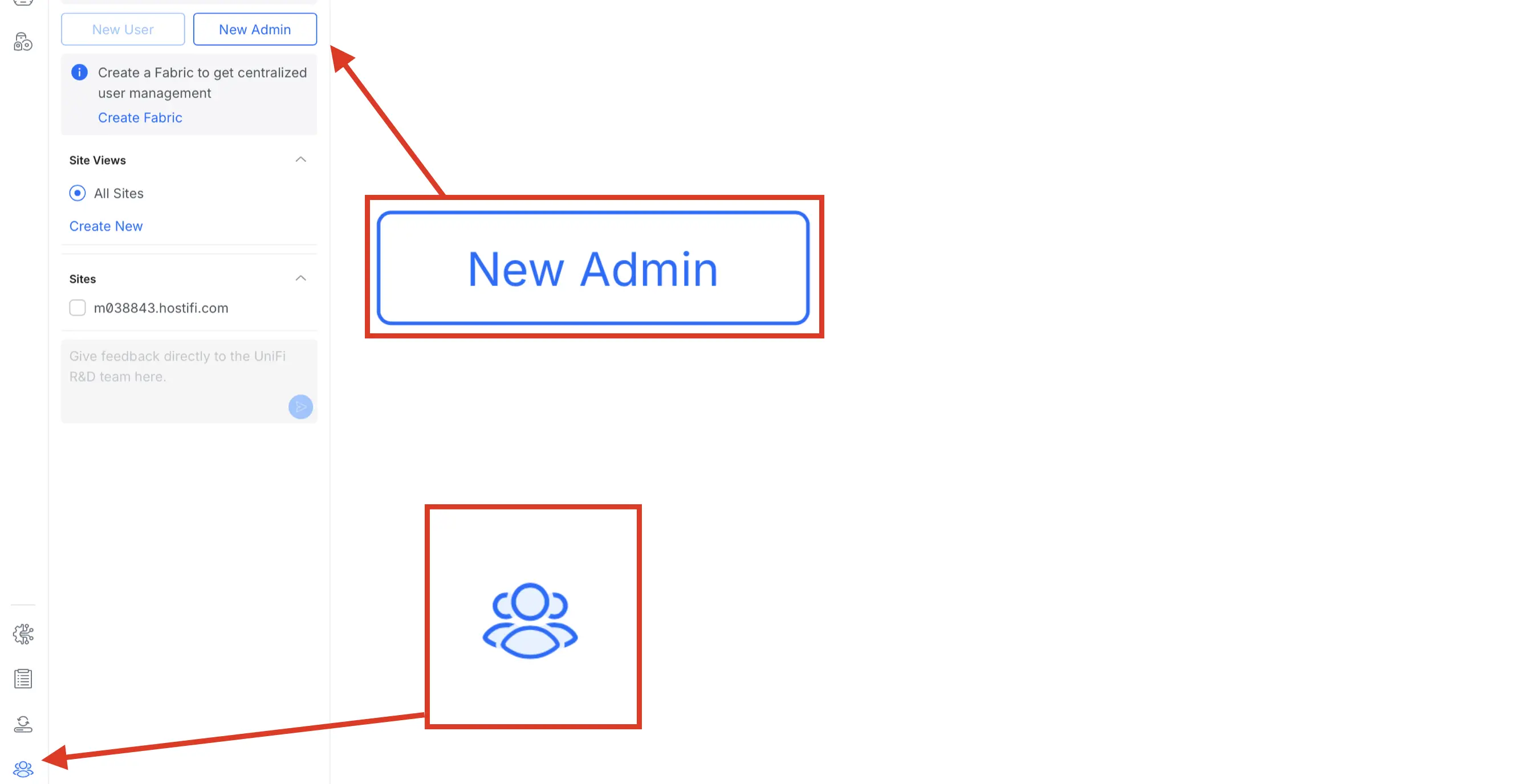
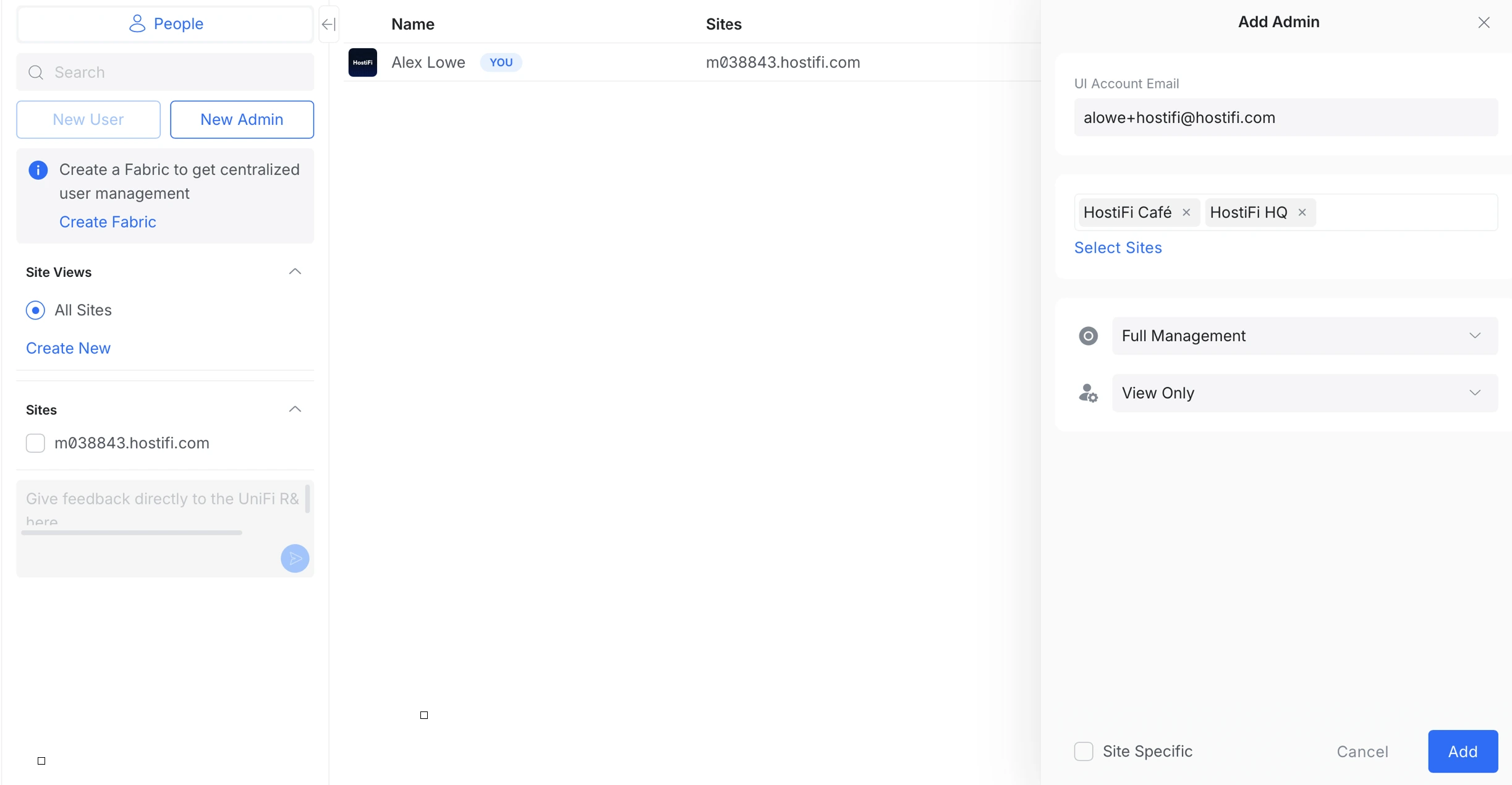
Next, click on the People tab, and then New Admin.
From here, type in the email address for the person you wish to invite. This email address must be an email address that is or is going to be or is associated with a Ubiquiti SSO account.
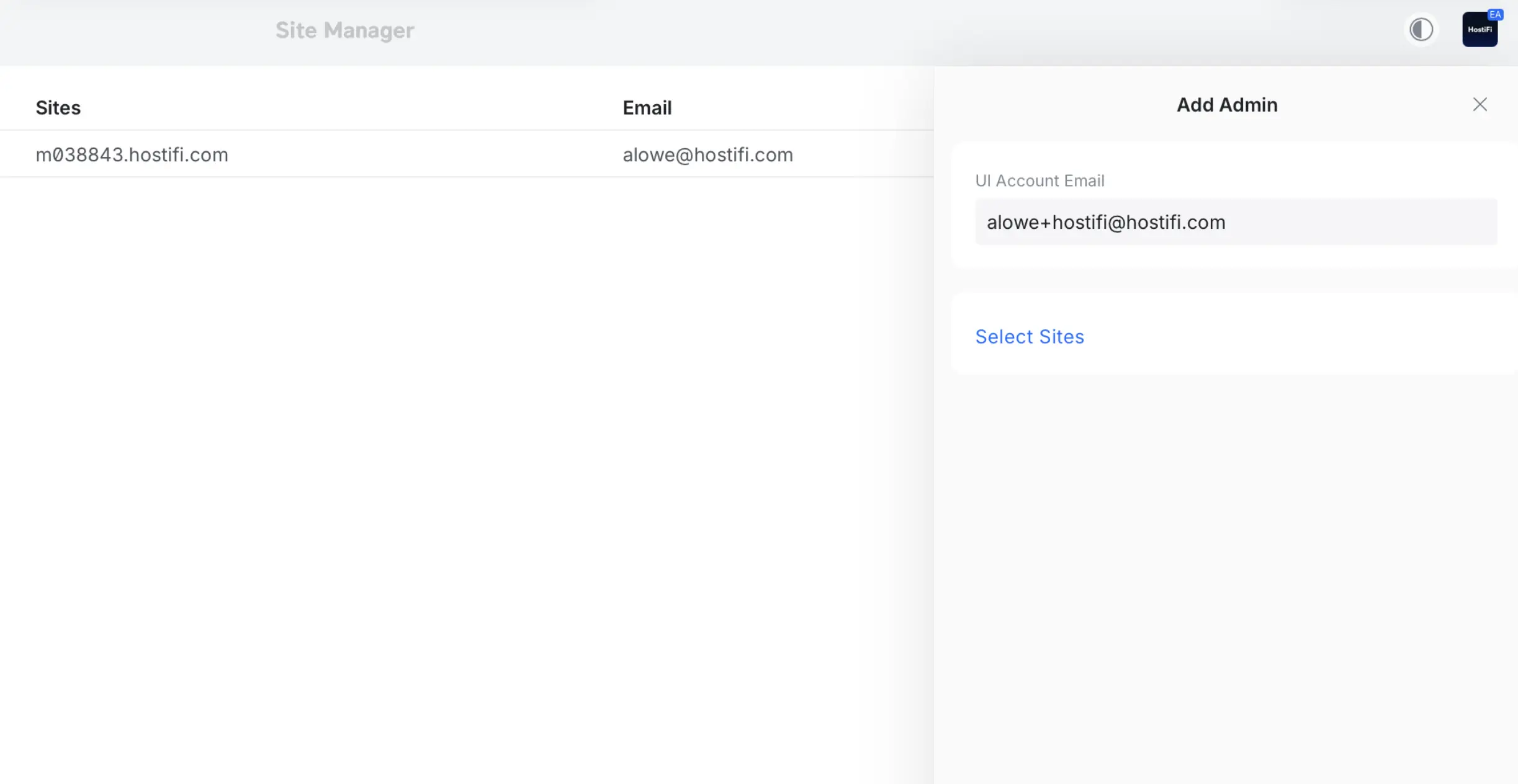
Within this page, you can click on Select Sites and invite the user to all of the sites on the server, or individual ones if required.
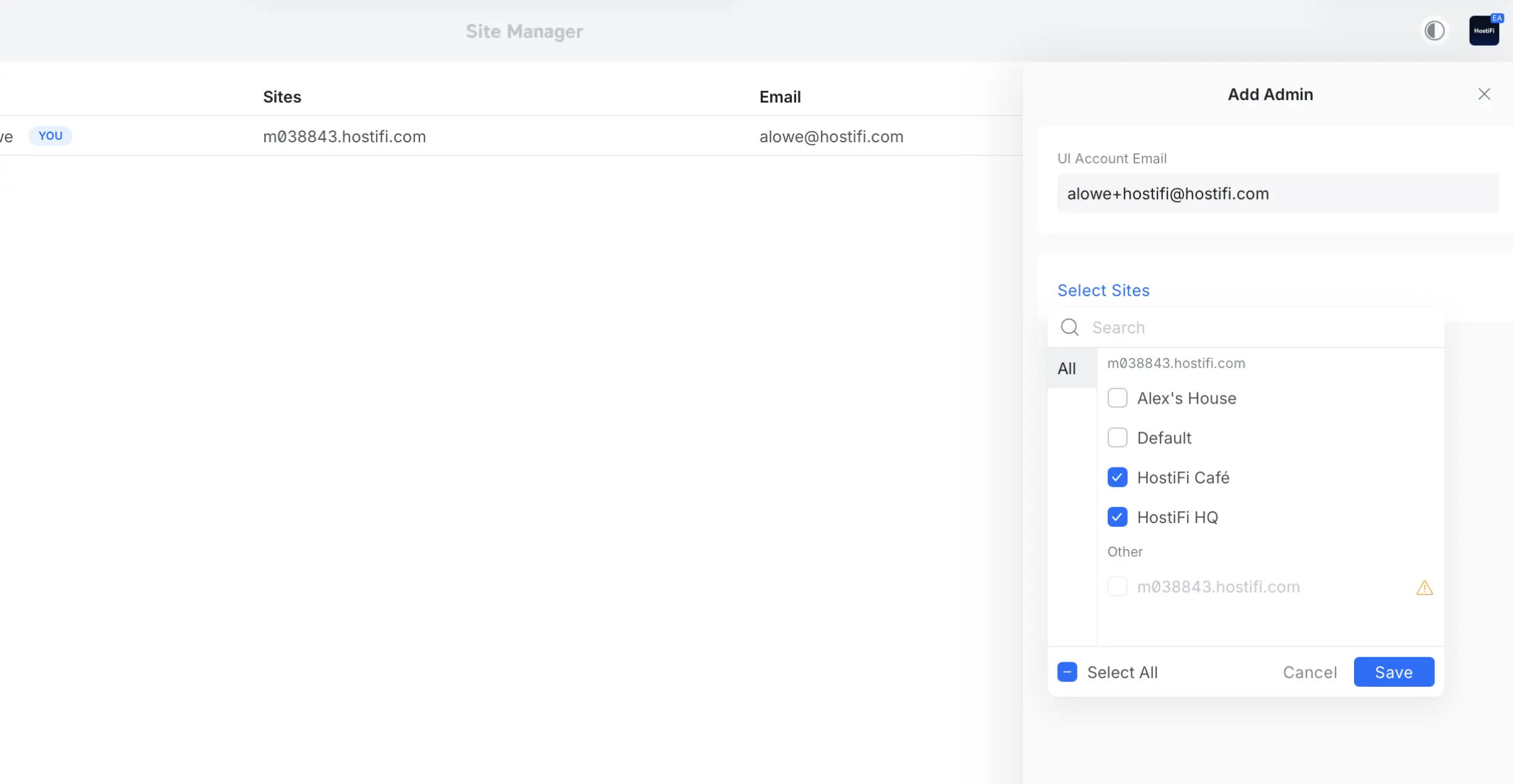
Then choose if the user should have some or no access to the UniFi OS Server Control Plane and the UniFi Network app. You can even granularly control access per site, between View Only or Site Management. Once done, click Add.
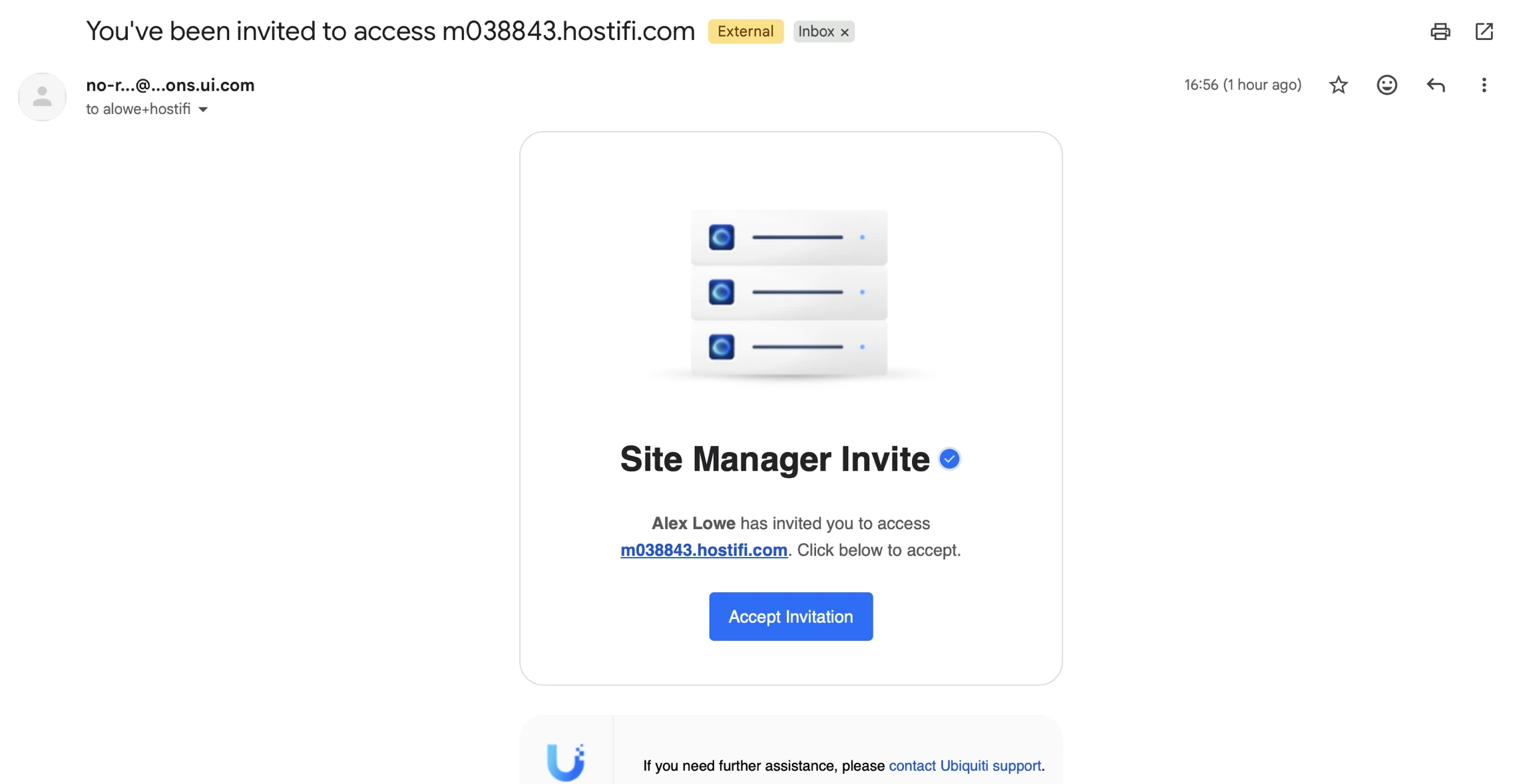
Next, the invited user will receive an email invitation with some included instructions. If they don't have a Ubiquiti account, they can create one from this page.
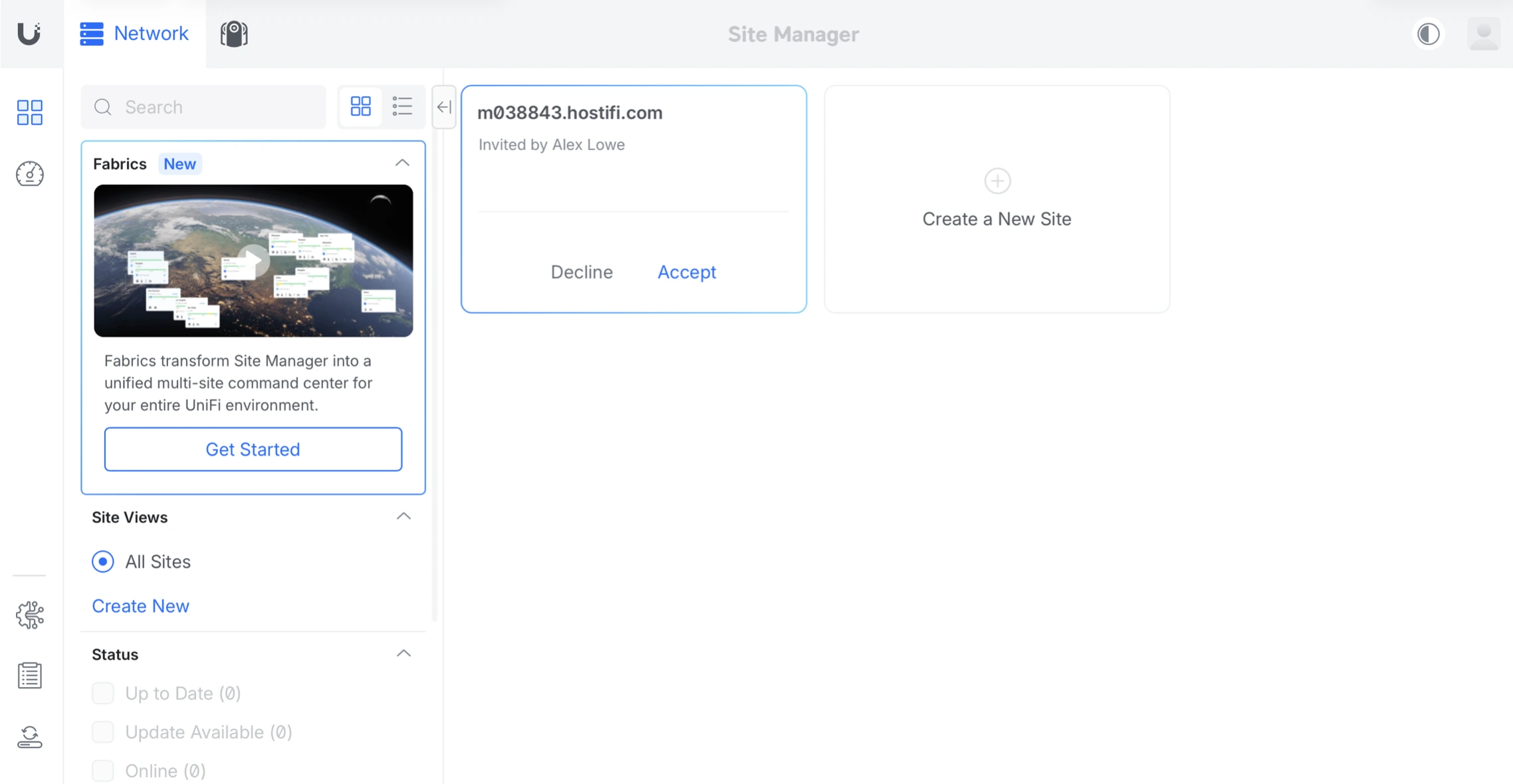
Invitations can also be accepted directly from the UniFi Site Manager if more convenient.
Troubleshooting
What do I do if the administrator doesn't receive the invitation?
- Ask them to check spam or junk email folders
- Double check the invited email address was spelt correctly
- If needed, resend the invitation.
About HostiFi
HostiFi provides hosting for Ubiquiti software platforms, with servers for UniFi and UISP. We also offer network consulting, with HostiFi Professional Services.

Get the Ubiquiti Top 20
Each month our team sifts through Ubiquiti news and content from around the web and delivers 20 of our favorite links to your inbox.
View recent issues
No spam. Unsubscribe anytime.
🤩
Discovered 3+ things that I did not know and will have a material impact on my business.
Newsletter Subscriber
🤩
All the info I want/need in a single clean thread! Perfect!
Newsletter Subscriber
🤩
Providing super valuable information to keep the community in the know. Awesome links page, Thank You.
Newsletter Subscriber