
UniFi - How to setup 2FA/MFA
Enabling multi-factor authentication (MFA/2FA) is a very important thing to do for ensuring good account security and preventing unwanted access. In this guide we'll cover how to enable 2FA for a local user on a UniFi controller and also, the Ubiquiti SSO account.
If you want fast and reliable UniFi hosting, check out HostiFi with expert support, regular backups, managed updates and prices from $19 per month.
To learn more about our hosting plans, create an account or book a free demo to get started.
Enabling 2FA for Ubiquiti SSO
See our guide here which explains how to tie your Ubiquiti SSO to a HostiFi UniFi Controller.
To enable MFA/2FA on your Ubiquiti SSO account, visit account.ui.com

Then, go to Security

Enter in your password to change any settings

Click Add new method to add a new 2FA/MFA option
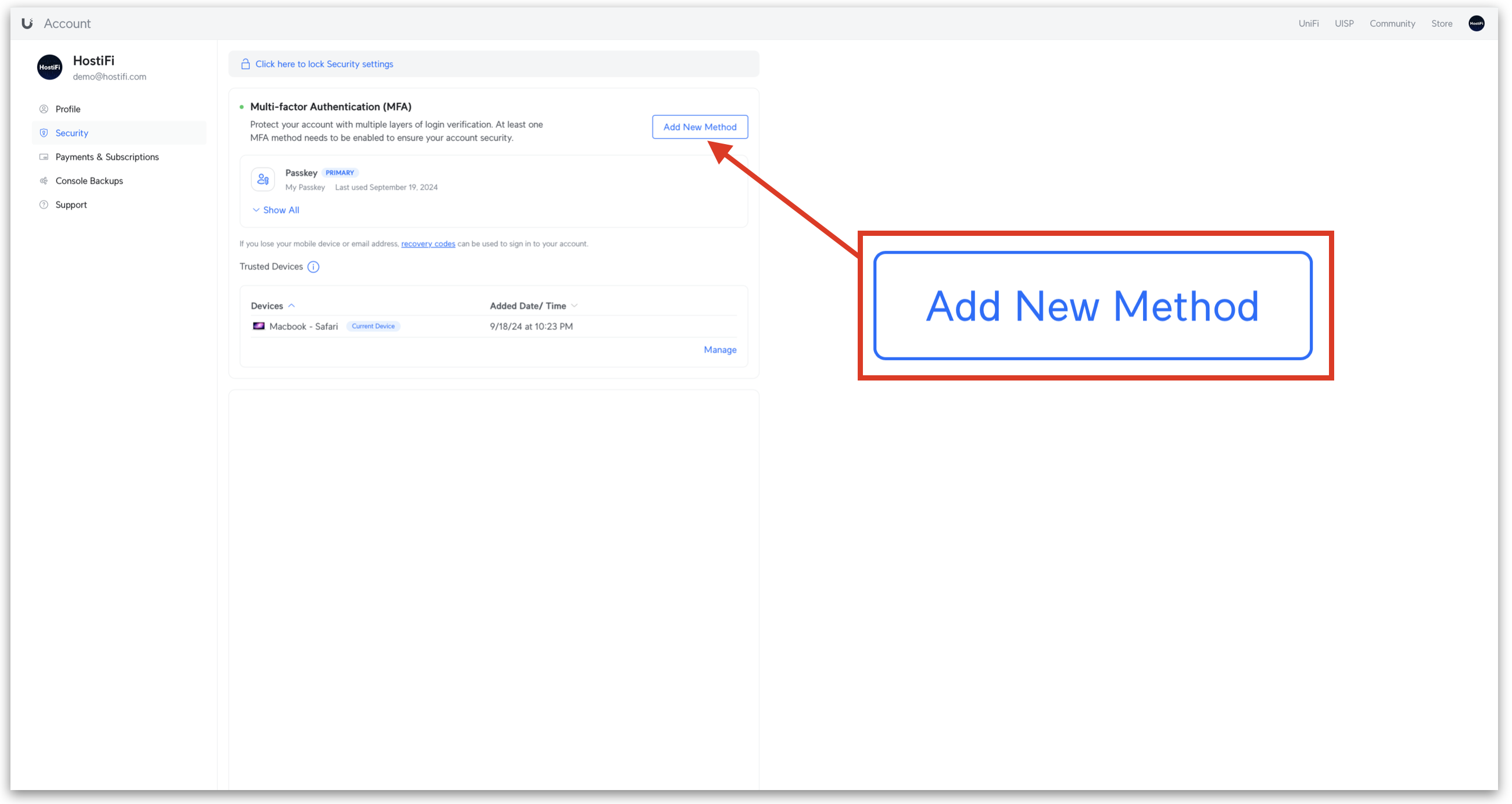
Choose between UI Verify, Passkey, Email or Authentication app

Our recommendation would be Authentication app - However, there is now the option of Passkey too which offers better security.

Once selected, a QR code is shown. If using a mobile app, scan the QR code and follow the instruction or if using Safari, right click and click on 'Set up Verification Code' and follow the instructions.

Enabling 2FA for a local account
If you have a local only account that you wish to enable 2FA/MFA on, you will need to tie the Ubiquiti SSO account to the local account. To do this, please follow this guide here.
Currently, it isn't possible to add 2FA/MFA to a local account only, Ubiquiti requires you to use the Ubiquiti SSO credentials to log in, in order to use 2FA/MFA. Once you have done this, make sure to use the Ubiquiti SSO credentials to log in.
If the Administrator user has a corresponding Ubiquiti SSO account with the same email address, once you log in this will be automatically tied to it.
Once you add new users to the UniFi Controller, these will be tied to their Ubiquiti SSO account and will have no local only credentials.
Video
About HostiFi
HostiFi provides hosting for Ubiquiti software platforms, with servers for UniFi and UISP. We also offer network consulting, with HostiFi Professional Services.

Get the Ubiquiti Top 20
Each month our team sifts through Ubiquiti news and content from around the web and delivers 20 of our favorite links to your inbox.
View recent issues
No spam. Unsubscribe anytime.
🤩
Discovered 3+ things that I did not know and will have a material impact on my business.
Newsletter Subscriber
🤩
All the info I want/need in a single clean thread! Perfect!
Newsletter Subscriber
🤩
Providing super valuable information to keep the community in the know. Awesome links page, Thank You.
Newsletter Subscriber