
UniFi - How to use rsync for copying UniFi backups to your own offsite server
In this article, we will show you how to use "rsync", a Linux utility, to sync a directory on one of your other Linux servers with the UniFi backups directory on your HostiFi server - that way you will always have access to your own automated offsite backups.
At HostiFi, we configure your UniFi settings to perform automatic nightly backups by default.
If you want fast and reliable UniFi hosting, check out HostiFi with expert support, regular backups, managed updates and prices from $19 per month.
To learn more about our hosting plans, create an account or book a free demo to get started.
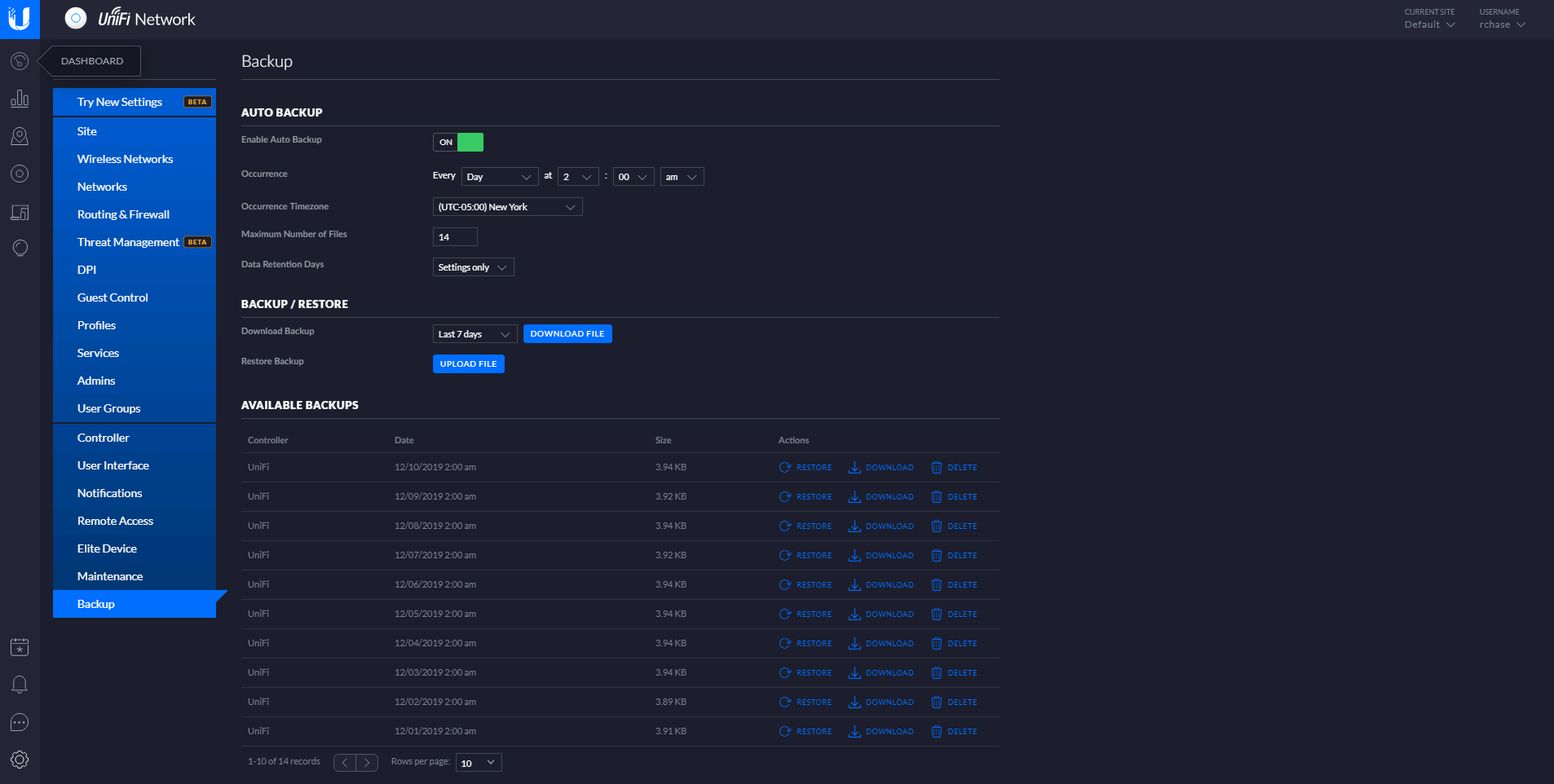
We also have a script which logs in via SSH each night and copies the backup from the previous night over to DigitalOcean Spaces. In case there is a hardware failure on the server, this is our offsite backup to restore from.
As a third copy, we recommend that you take an occasional manual backup and save to your PC, or use this rsync guide to keep updated UniFi backup copies on your own server.
1. Get SSH access to your HostiFi server
The first step is to get SSH access as the unifi user to your HostiFi server by following this guide: https://support.hostifi.net/en/articles/3437198-how-to-ssh-or-sftp-into-your-unifi-server
2. Install rsync on your server
Rsync must be installed on both your server and the HostiFi server for it to work. We've already installed it for you on the HostiFi side.
You may need to look up instructions for installing rsync that are specific to the operating system you are using.
Debian/Ubuntu
apt-get install rsync -y
3. Sync the UniFi backup directory at HostiFi to your server directory
Change x.hostifi.net to your server name, and /root to the directory on your server where you would like the backups to sync to:
rsync -avzh unifi@x.hostifi.net:/var/lib/unifi/backup /root/unifi
4. Create a cronjob to run the rsync once per day
crontab -e
0 2 * * * rsync -avzh unifi@x.hostifi.net:/var/lib/unifi/backup /root/unifi/
Optionally, you can add the --delete parameter in front of rsync to delete the older backups as UniFi does, reducing storage on your server.
About HostiFi
HostiFi provides hosting for Ubiquiti software platforms, with servers for UniFi and UISP. We also offer network consulting, with HostiFi Professional Services.

Get the Ubiquiti Top 20
Each month our team sifts through Ubiquiti news and content from around the web and delivers 20 of our favorite links to your inbox.
View recent issues
No spam. Unsubscribe anytime.
🤩
Discovered 3+ things that I did not know and will have a material impact on my business.
Newsletter Subscriber
🤩
All the info I want/need in a single clean thread! Perfect!
Newsletter Subscriber
🤩
Providing super valuable information to keep the community in the know. Awesome links page, Thank You.
Newsletter Subscriber