
UniFi - How to adopt the USW-Flex-Mini
The USW-Flex-Mini is Ubiquiti's most cost-effective switch, with 5 gigabit Ethernet ports. It can be powered by 802.3af PoE In, or the included USB-C port with a power adaptor.
If you have a USG or UXG on the same UniFi Controller as the USW-Flex-Mini, then no configuration should be required. It'll automatically make itself available within UniFi.
Because Flex Mini doesn't support SSH, the usual manual set-inform method won't work. Getting the USW Flex Mini adopted to HostiFi or any other cloud hosted UniFi Controller requires a few more steps. There are a few ways we can do this.
Using the HostiFi Device Discovery Tool (Recommended)
With the latest version of the HostiFi Device Discovery Tool, you can now adopt switches that don't have an SSH interface, such as the USW-Flex-Mini and the latest USW-Ultra models.
First, download and install the HostiFi Device Discovery Tool. This guide applies to the desktop app, but the mobile app has the same functionality and usability.
Next, plug in your USW-Flex-Mini to the network and open the app

Make sure in settings that your set-inform URL has been specified. It should have http:// and not https://, port :8080 and then /inform at the end. You can find your set-inform URL in the app.hostifi.com portal.

Next, click on 'Adopt', check the set-inform URL is correct and then click 'Adopt' again

The app will then show a success message that the adoption request has been sent to the UniFi controller.

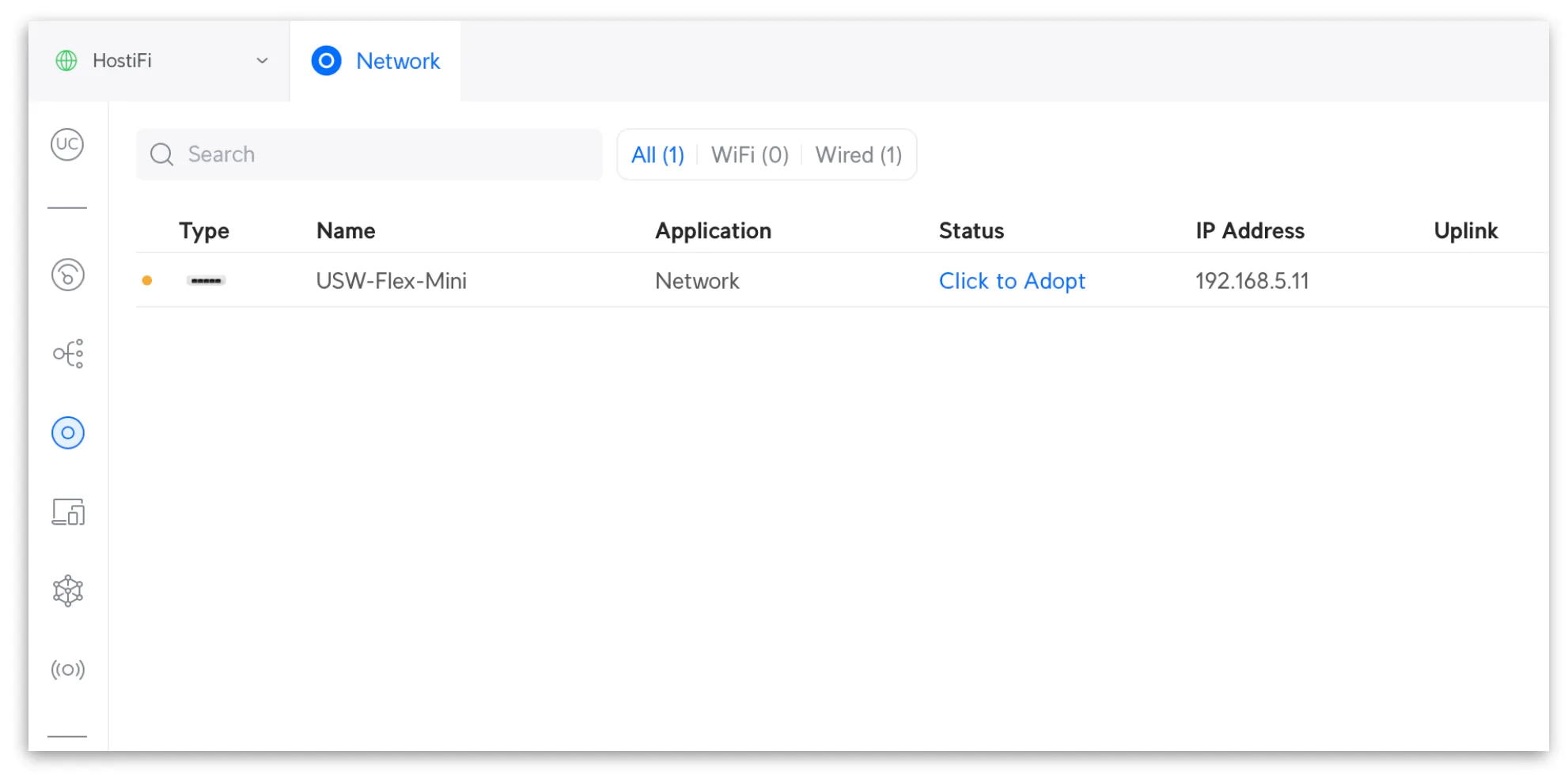
Next, check your UniFi controller to see if the switch has popped up. Then click 'Click to Adopt'
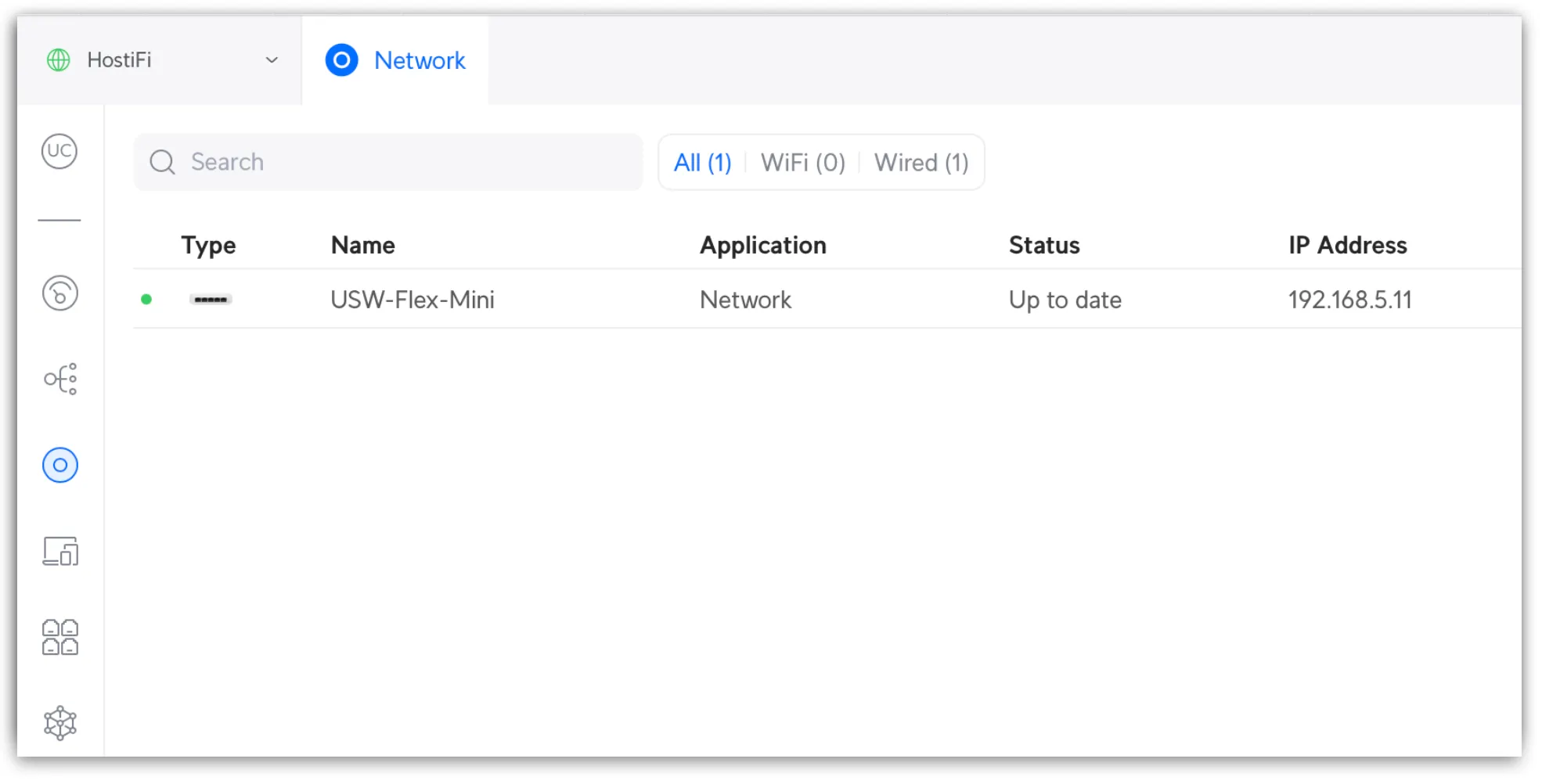
After a few minutes, the switch will come online in the controller.
DHCP Option 43
Another option is to use DHCP option 43 to provide the public IP address of your UniFi controller in DHCP leases. This method doesn't require a local UniFi controller, but it does require a network with the ability to provide DHCP option 43.
DHCP option 43 is available on any most third party routers such as pfSense, Mikrotik, Palo Alto, as well as Windows DHCP servers. Refer to those manufacturer's instructions on how to enable option 43. Typically, they require the public IP address of your controller to be input in hex format, and prefaced with "0104" followed by the hex value of the IP address. Refer to this Ubiquiti Community thread for more details on using 3rd party DHCP servers.
EdgeRouter DHCP Server
You can also set the UniFi Network IP in the DHCP lease settings if you are using an EdgeRouter. You can find the IP address for your HostiFi UniFi server at app.hostifi.com. Simply add the IP address in the DHCP server settings and any UniFi devices will get pointed to your server.

Troubleshooting
If the switch hasn't showed up in the UniFi Controller, make sure to check the following:
- Check that you have entered http:// and not https://
- Check that port :8080 has been used and not :8443
- Check all sites on the controller
About HostiFi
HostiFi provides hosting for Ubiquiti software platforms, with servers for UniFi and UISP. We also offer network consulting, with HostiFi Professional Services.

Get the Ubiquiti Top 20
Each month our team sifts through Ubiquiti news and content from around the web and delivers 20 of our favorite links to your inbox.
View recent issues
No spam. Unsubscribe anytime.
🤩
Discovered 3+ things that I did not know and will have a material impact on my business.
Newsletter Subscriber
🤩
All the info I want/need in a single clean thread! Perfect!
Newsletter Subscriber
🤩
Providing super valuable information to keep the community in the know. Awesome links page, Thank You.
Newsletter Subscriber